Train Lyro with reliable business knowledge
Lyro is only as reliable as its sources. Add current policies, product facts, and FAQs, test the languages you support, and configure a safe human handoff for questions it cannot answer.
The widget is installed, but the AI does not automatically know your catalog, delivery policy, returns process, or service boundaries.
Build the knowledge source
As of July 2026, the Lyro interface presents options including website URLs, manual entries, files such as CSV or PDF, and product synchronization. Availability can vary by account and integration.
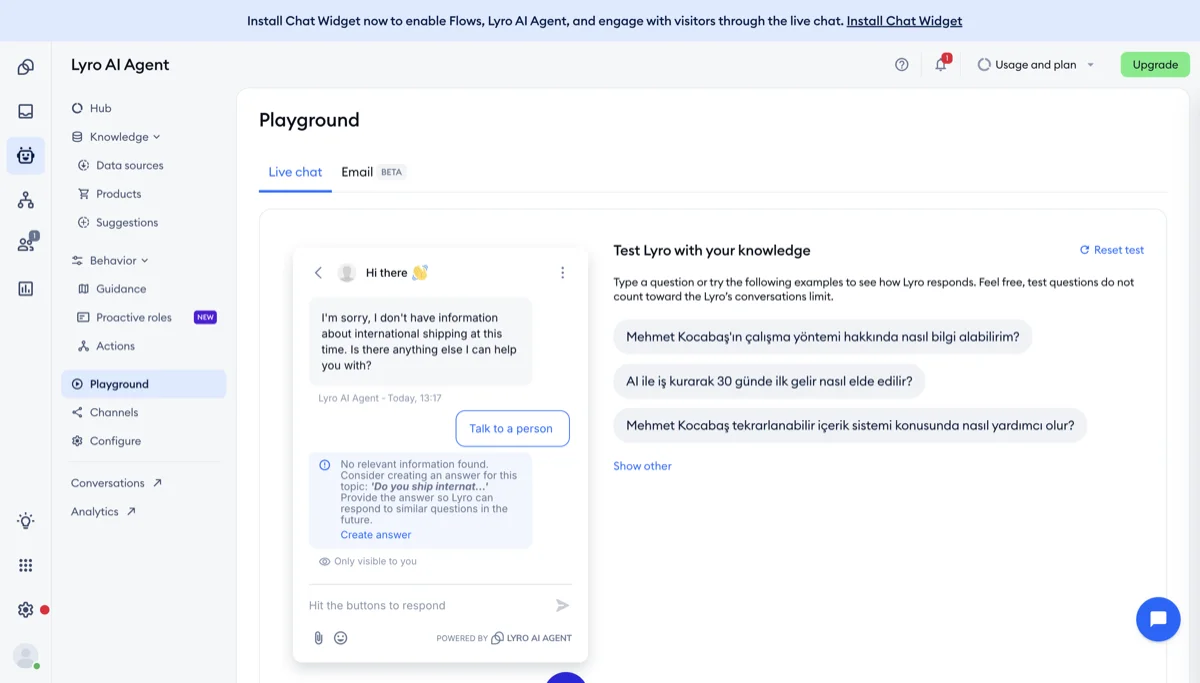
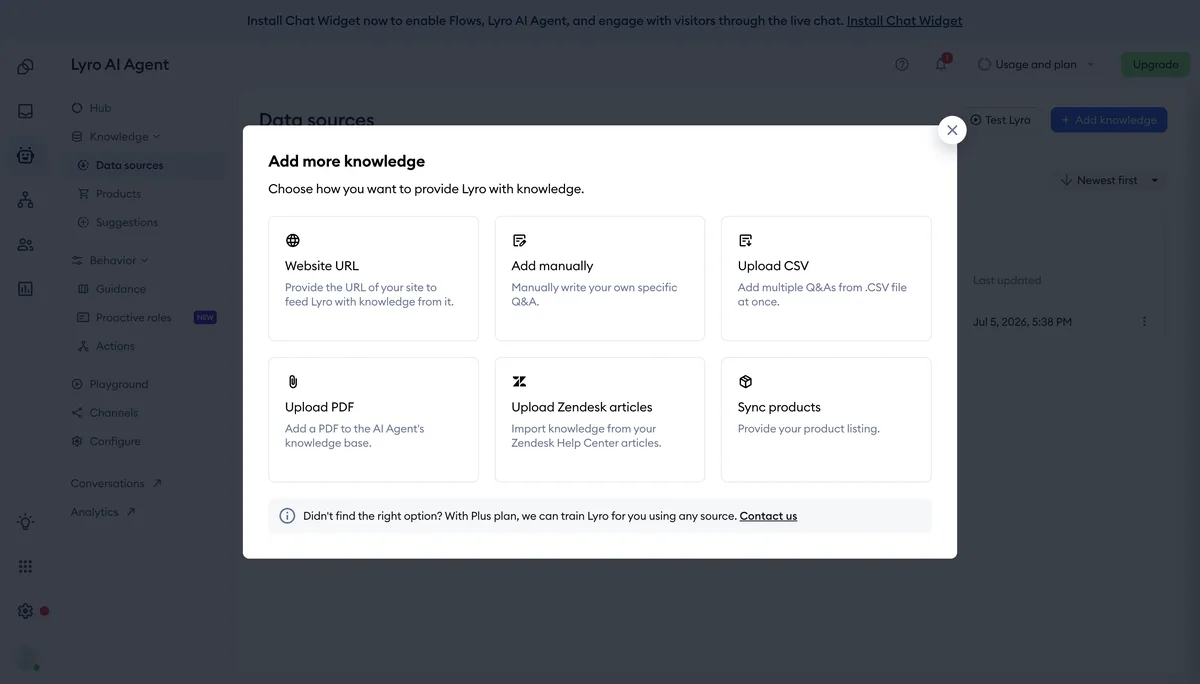
Source: Tidio interface, accessed July 2026.
Start with the questions customers actually ask:
- Shipping regions and realistic delivery windows
- Return and exchange conditions
- Product compatibility, dimensions, or size guidance
- Stock and preorder rules
- How to contact a person
Use short, explicit answers and keep them synchronized with the public policy pages.
Test language quality
Do not assume that a supported language will be equally strong for your products and terminology. Test real questions in every language you plan to offer and review the answers with a fluent speaker.
Configure a safe handoff
The bot should say when it lacks enough information and offer the next support path. Configure separate behavior for online and offline human availability.
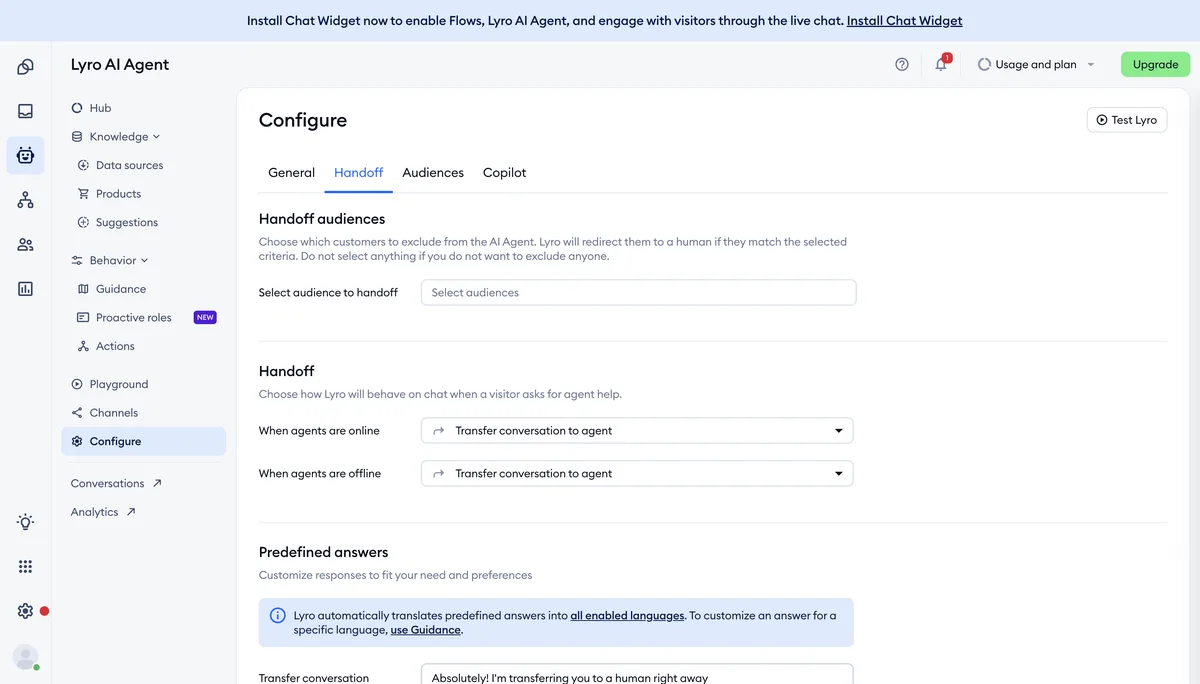
Source: Tidio interface, accessed July 2026.
Lesson checklist
- I added current product and policy information
- I tested real questions in every supported language
- Lyro does not invent an answer when the source is missing
- A customer can reach a person or leave a ticket
Next, you will automate simple repetitive paths.