How to Generate Ad Creatives With AI: 10 Variants From One Product
Skip the agency and the designer. Here's how to turn one product into dozens of ad images and headlines with AI, then test them like a real creative team.

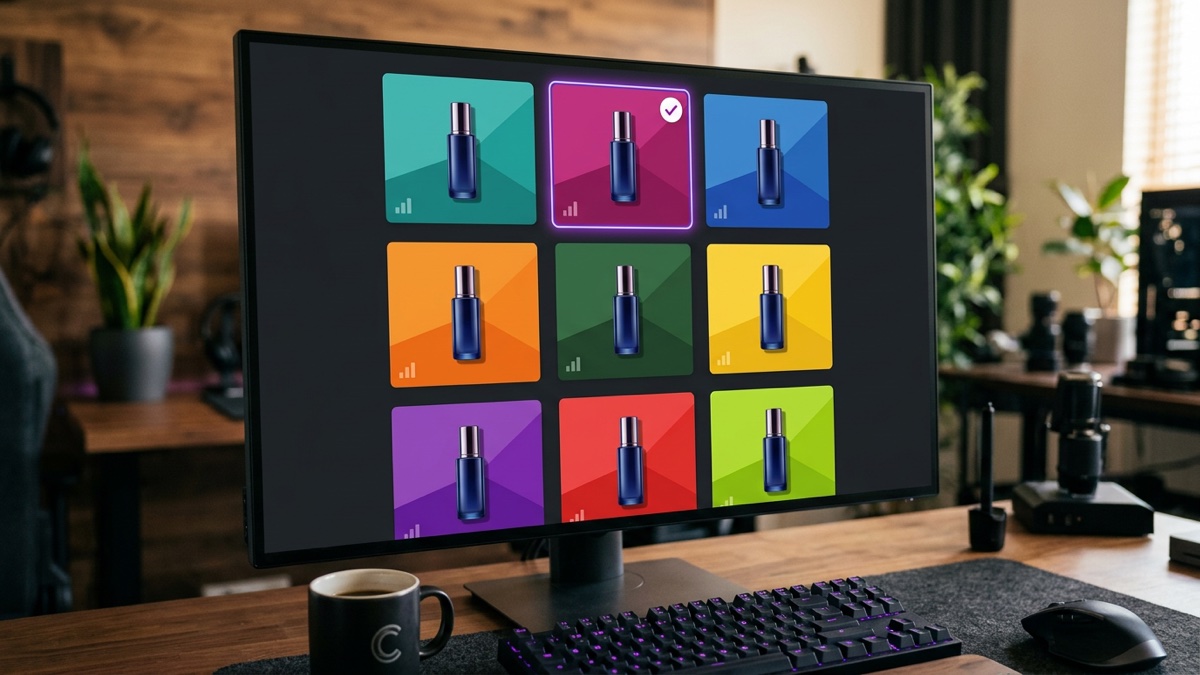
The real power of generating ad creatives with AI isn't making one "perfect" ad. It's pulling dozens of genuinely different image and copy variants out of a single product, fast, and testing which one actually sells. No agency fee, no designer on retainer: you run AI like a creative team and let the data name the winner. Here's how to do that without spending a media budget on the creative itself.
First, the most expensive mistake in advertising: falling in love with one creative and pouring your whole budget into it. You look at an image and think "this is great," and your audience never even notices it. The winner in advertising isn't the person with the best guess, it's the person who tests the most variants. That's exactly where AI changes the math: it drops the cost of producing a variant to almost nothing.
The question on the surface, and the one underneath it
- The surface question: "Can AI make me a nice looking ad image?"
- The real question: "How many genuinely different creatives can I pull from one product, and how do I find out fast which one actually sells?"
The payoff sits in the second question. One pretty image doesn't get you anywhere. A tested winner does.
The 5 steps of generating ad creatives with AI
1. Pull multiple angles from one product
You've got a product. Get AI to describe it from different angles: "Give me 5 different ad angles for this product: one benefit led, one problem-solution, one social proof, one urgency, one curiosity." Each angle becomes its own creative family. Same product, five different stories. The winning angle in advertising is usually the one you didn't expect, which is exactly why variety matters here.
2. Generate the images with AI
Hand the product photo to an AI image tool (Nano Banana, GPT Image, that kind of thing) and ask for a different scene per angle: "show this product in a lifestyle scene," "show it on a neutral studio background," "show it in use." You don't need to know a design program, you're directing in plain language. I walked through turning a product photo into studio quality shots in a separate post on AI product photography for online sellers.
3. Generate the copy variants
For each image, have AI generate headline and body copy variants: "Write 5 short ad headlines and 3 descriptions for this angle that will drive clicks." Mix and match images with copy in different combinations. That gets you 8 to 10 creatives that are genuinely different from each other, not just color swaps of the same idea.
4. Test on a small budget
Now stop guessing and let the data talk. Run the creatives on a small budget, give each one an equal shot, and let a few days of data come in. Which one gets clicked more, which one converts more? Real performance decides the winner, not how good it looks to you. The creative you personally think is "the best" usually isn't the winner, and that's normal.
5. Build on the winner
Once you've found the winning creative, shift the budget to it and generate new variants off that same angle: "Make 5 new versions of this winning angle." That's how you build a loop that keeps improving. Advertising isn't a one-time job, it's a cycle of finding a winner and building on top of it. AI just speeds that cycle up.
A real example
Say you sell handmade leather wallets. Step 1, AI hands you 5 angles: "craftsmanship" (quality), "gift" (who it's for), "lasts for years" (benefit), "running low on stock" (urgency), "why real leather matters" (education). Step 2, you generate an image for each angle: the wallet macro shot on a wood table, in gift packaging, in someone's hand while in use. Step 3, you write headlines that match each image. Step 4, you test 8 creatives on a small budget and find, unexpectedly, that the "gift" angle converts best. Step 5, you shift the budget there and generate new versions of the gift angle.
The result: no agency fee, no designer, a tested winning creative out of one product. The difference wasn't believing in one image, it was letting variants and data do the talking.
The most common mistake
Betting the whole budget on one creative. Deciding "this image is great" and pouring all your money into it is the most common way to lose money in advertising. Your audience doesn't think the way you do, and only testing tells you that. Second mistake: generating variants that are basically the same image ten times over. Ten tiny tweaks to the same visual isn't a test. The angle, the message, and the visual all need to be genuinely different.
Third trap: publishing an AI image without checking it first. AI sometimes shows the product wrong, adds a weird detail, or garbles the text. Review every creative before it goes live. An ad showing the wrong product burns both your money and your credibility. And a quick note on platform rules: if you're running AI generated imagery on Meta or another ad platform, check their current AI content disclosure requirements before you publish, they do exist and they change.
What to do next
- Describe your product to an AI and ask for "5 different ad angles."
- Generate image and copy variants for each angle with AI. Aim for 8 to 10 creatives that are genuinely different.
- Test on a small budget, let the data find the winner, then build new variants on top of it.
If you're stuck on which angle to start with, reach out and I'm happy to talk it through.
The honest limit: AI gives you unlimited creative variants and speed, not a winning ad. Testing and data decide the winner. Which angle to try, where to shift the budget: those calls are still yours. AI becomes your creative team. You still run the media plan.
Frequently asked questions
Do AI generated ad creatives actually work?
Yes, if you use them right. AI lets you produce a large batch of image and copy variants from one product fast, but the real win is testing them and finding the winner. Instead of chasing one 'perfect' creative, generating 10 variants and letting real performance decide is the most efficient path on a small budget. Data picks the winner, not your gut.
I don't know design. Can I still make ad creatives?
Yes. AI image tools like Nano Banana or GPT Image respond to plain language, you don't need to know a design program. Hand over a product photo and say 'show this in this kind of scene, in this style.' On the copy side, AI generates headline and description variants in seconds. You're not the designer here, you're the director.
How many variants should I generate?
5 to 10 is plenty to start. Too many variants split your test budget so thin that none of them collect enough data to mean anything. Generate 5 to 10 variants that are genuinely different from each other (different angle, different message, different visual), test them, find the winner, then build new variants on top of that winner. A few meaningfully different variants beat a pile of near identical ones.