Your first flow: a filter that pulls headlines from a site
A real flow that works right away, no account connections needed. We use Schedule Trigger, RSS Read, and If nodes to pull a site's headlines and filter them. This is the heart of the course: you watch the automation run live on screen.
So far you've seen what n8n actually is, how the canvas works, and how nodes think. Now for the real thing: building and running an actual flow from scratch. I picked this example on purpose, because it needs zero account connections and it just works, immediately.
Three nodes, one flow
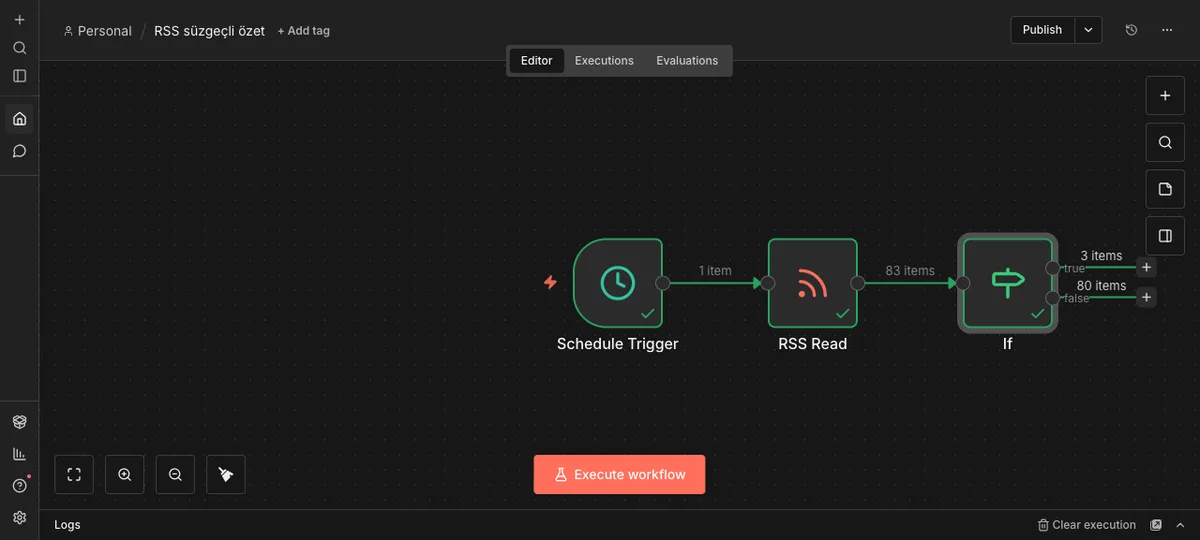
The flow we're building has three nodes.
Schedule Trigger. This kicks the flow off. You tell it "run every day at this time," and it starts the flow on its own at that time.
RSS Read. A node that reads a site's RSS feed. In our example we're pulling from mehmetkocabas.com/rss.xml, so the headlines you see on screen in this section are real.
If. A node that splits incoming headlines into two paths based on a condition. We're checking whether the headline contains the word "AI": if it does, it goes down one path (True); if not, the other (False).
Drop all three on the canvas and connect them in order, and the flow looks like this:
Source: n8n panel (local install), accessed July 2026.
Setting up the RSS node
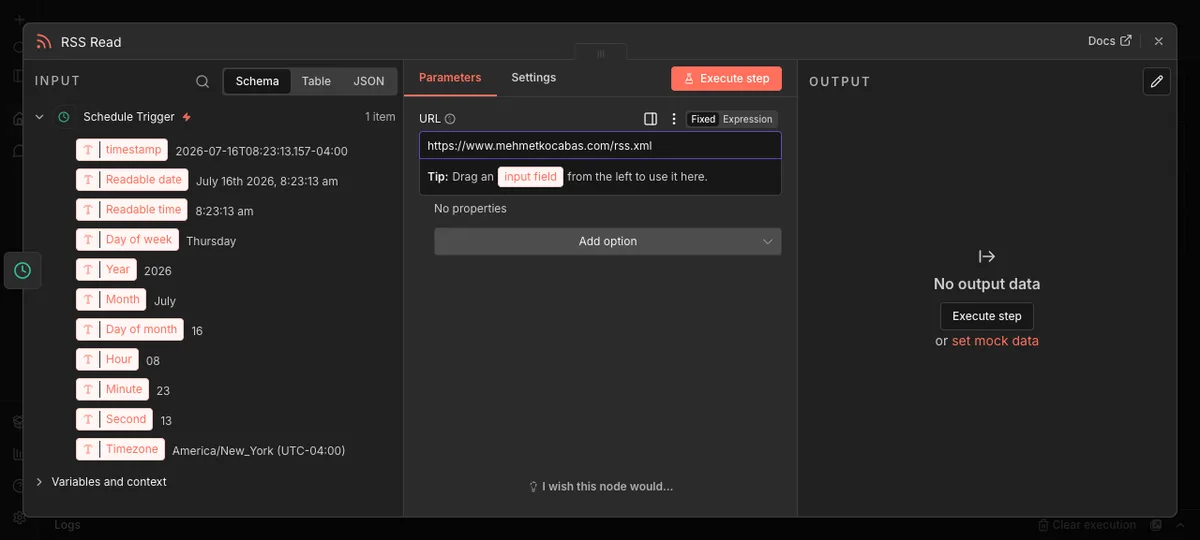
Click the RSS Read node and a settings panel opens up. The only thing you need to do here is drop the RSS address of the site you want to read into the URL field.
Source: n8n panel (local install), accessed July 2026.
Most sites' RSS address is just the domain with /rss.xml or /feed tacked on. No account needed for this node either, RSS is a public, open feed format.
Run it and watch the real data come in
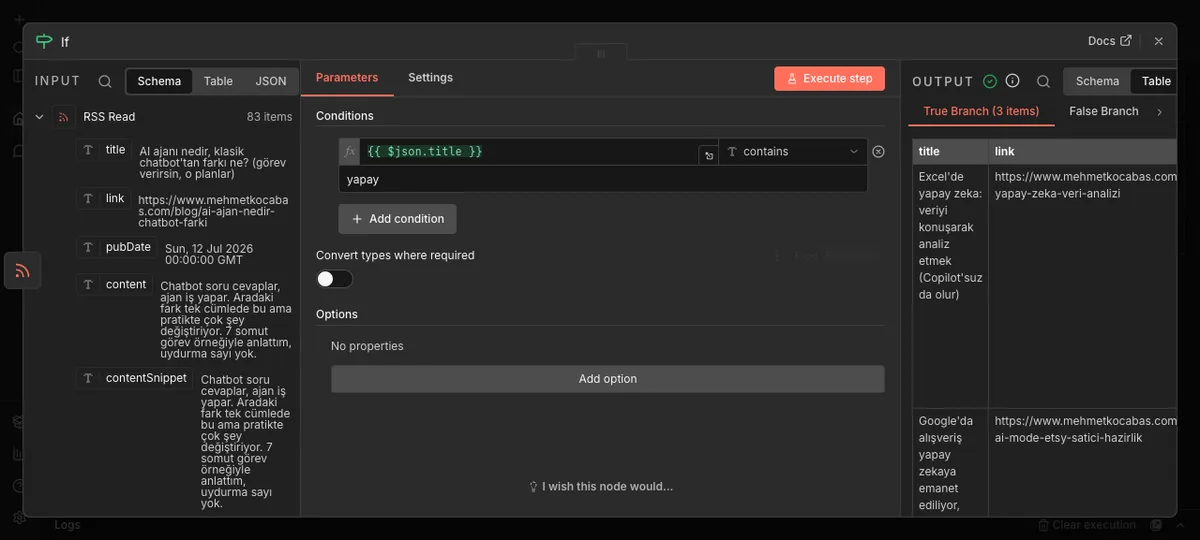
Once the nodes are wired up and the RSS address is set, it's time to actually run the flow. Hit "Execute workflow" to trigger it once, and n8n goes out to that site for real and pulls the headlines.
I did exactly this while putting the course together: ran the flow, and real blog headlines showed up right in the If node's panel. A handful landed on the True branch, all of them posts actually published on mehmetkocabas.com.
Source: n8n panel (local install), accessed July 2026.
This moment is really the whole point of this section. Automation isn't some abstract idea, it's something actually running on your screen right now. You connected three boxes in the right order, it went and fetched a site on its own, pulled the headlines, and sorted them by the rule you set. The only thing you did by hand was set up the boxes.
In the next section we'll look at how nodes that need an account (like Gmail or Sheets) get connected, in other words, how credentials work.