Run it, watch it, and the common errors
The closing lesson: reading your execution history, understanding the error message when a node turns red, and taking a flow from draft to live. Ends with three common mistakes and a checklist.
You've reached the final lesson of this series. You opened n8n, got to know the canvas, built and ran a real flow, saw how connecting accounts works and how to grab a ready made template. One thing is left: actually watching the flow you built, knowing what to do when an error shows up, and getting the flow out of draft and genuinely running.
Execution history
n8n records every run. Open the "Executions" section and you'll see the list of past runs, which succeeded and which failed, all in one place.
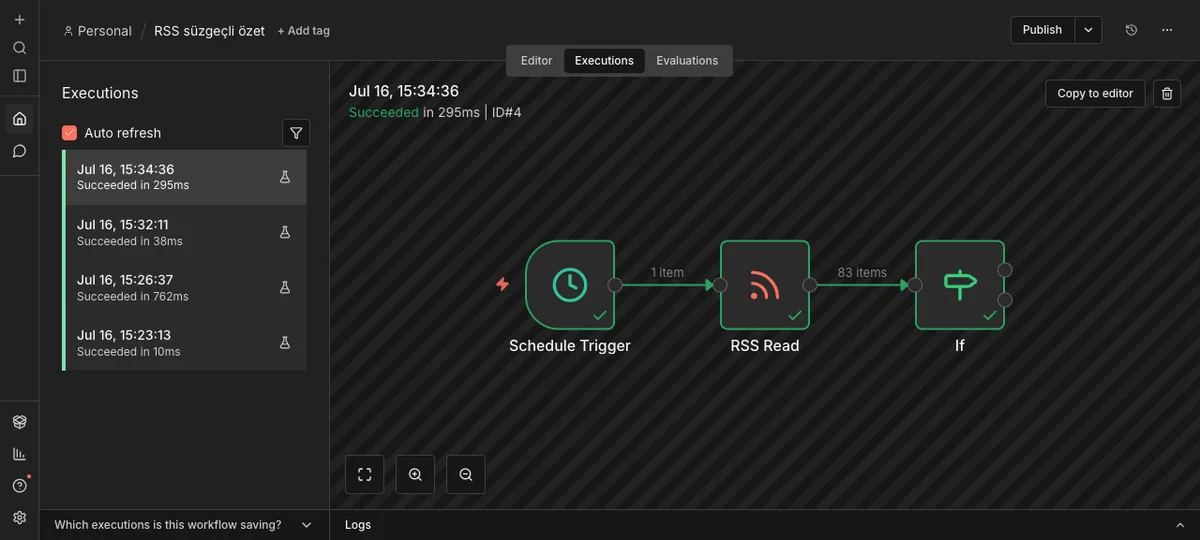
Source: n8n panel (local install), accessed July 2026.
This list is the easiest way to tell whether a flow has quietly broken. Glancing at it now and then means you catch a problem early.
Reading an error
The mistake beginners hit most often is a misconfigured node, for example typing the RSS address wrong. When that happens the node gets marked with a red X and n8n tells you plainly what went wrong.
I ran into this myself while putting this course together: I typed a bad address into the RSS Read node, the node turned red, and this message came up: "Problem in node 'RSS Read': The connection cannot be established, this usually occurs due to an incorrect host (domain) value."
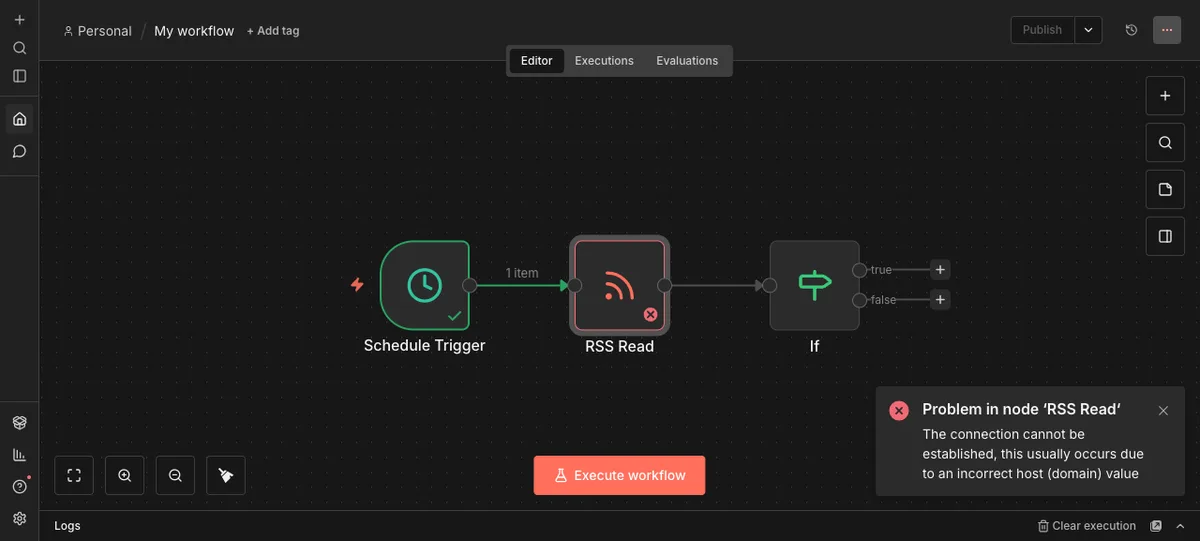
Source: n8n panel (local install), accessed July 2026.
There's no need to panic when you see a message like that. Read it, look at what it's telling you. Here it's obvious: the address is wrong. Open the node, check the URL field, type the correct address, run it again. Most errors are this simple, and reading the message is half the fix.
From draft to live
A flow you've built starts out as a draft. You can try it once with "Execute", but for the flow to run on its own, without you touching it, you have to take it live. In this version that's done with the "Publish" button in the top bar.
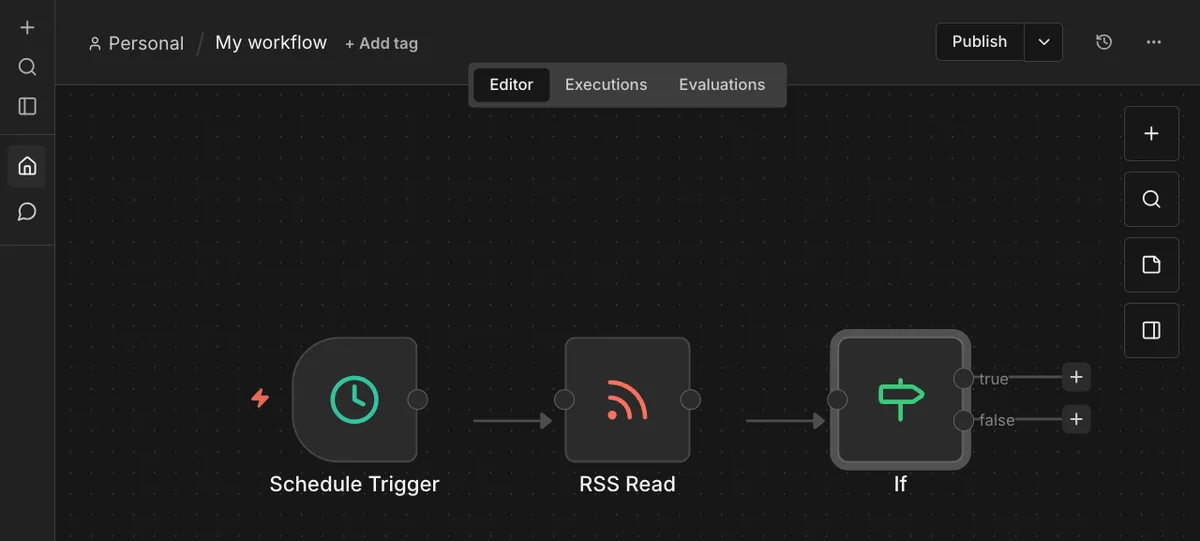
Source: n8n panel (local install), accessed July 2026.
Some n8n versions show a classic Active toggle instead. Don't be surprised if that's what you see on your screen; the logic is the same, you're taking a draft flow and making it genuinely run. Always test your flow before you hit Publish, because from that moment on it starts running by itself according to its trigger.
The common errors, briefly
Forgetting to publish. If you build and test a flow but forget to hit Publish, the flow never runs on its own. You think setup is done, but it's still sitting in draft.
A wrong address or field. As you saw above, typing bad information into a node turns it red. The fix is always the same: read the message, correct the setting.
Scheduling too often. Setting the Schedule Trigger to run more often than you need makes it repeat the same work for no reason. Match your schedule to what you actually need.
Lesson checklist
- I set up my owner account
- I started a flow with a trigger
- I ran the RSS flow and saw real data with my own eyes
- I know how to read a node's message when an error shows up
- I know I have to take a flow live
- I know I can pull in a ready made template with Import from URL
The Make and n8n fundamentals course and this one now go together. There you learned what automation is, here you actually built and ran it. What's next is looking at your own work: which job repeats a few times a week, always with the same steps and a clear rule? That's where your first real automation will come from.
You finished this course. I also share updates about these tools in the weekly newsletter: