Build a welcome sequence and automation
A subscriber forms an early impression through the welcome sequence. Connect a form trigger to a short email sequence and space the messages so the reader has time to engage.
The incentive email delivers the promised resource, but it does not build a relationship by itself. A welcome sequence introduces your work over several messages.
How Kit automation works
Kit uses a visual flow. A trigger, such as a form submission, connects to actions such as sending a sequence, waiting, or adding a tag. You build the path with interface blocks rather than code.
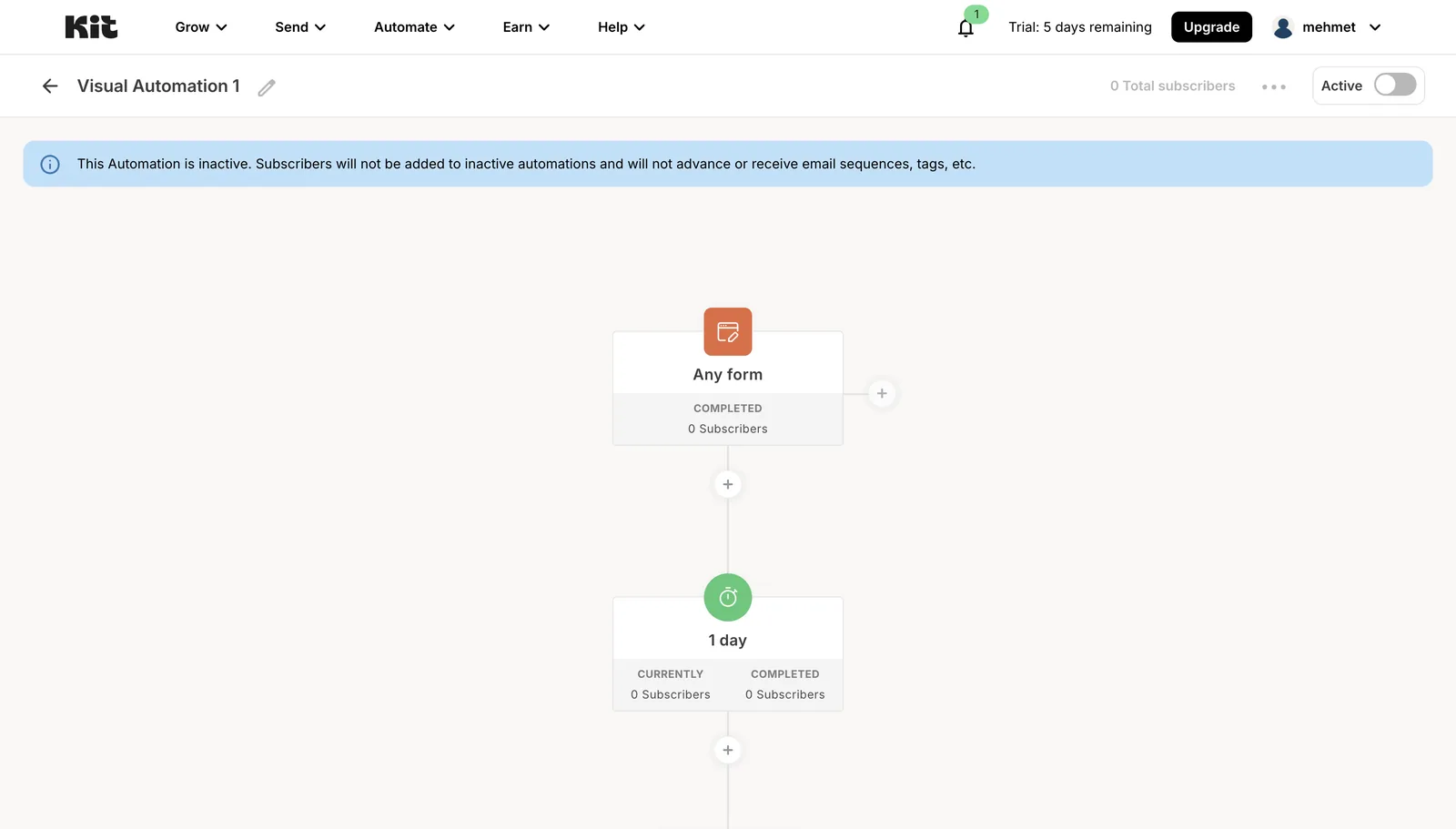
Source: kit.com/features/automations, accessed July 2026.
A practical welcome sequence
Adapt this outline to your own voice:
- Immediately: Welcome the reader, explain what they can expect, and repeat the resource link.
- After one or two days: Share the short story or principle behind your work.
- After another two or three days: Give one useful tactic, guide, or strong piece of content.
- Optional: Invite the reader to one other channel or community.
- Optional: Mention a relevant product or service without turning the whole sequence into a sales pitch.
The timing is an example. Leave enough space for each email to be read.
Keep the first automation simple
Kit supports triggers involving forms, tags, links, and completed sequences. Start with one form connected to one welcome sequence. Add branches only when you have a real use case.
Lesson checklist
- I understand triggers and actions in Kit's visual automation
- I outlined a short welcome sequence
- I connected the sequence to the correct form
- I added sensible delays between messages
Next, you will learn when to send a broadcast and how to segment subscribers.