Create voiceover for short videos and ads
Plan the script against the edit, generate manageable sections, keep one voice and model for continuity, and verify commercial rights before publishing.
Generating a good voice is only part of the job. The delivery must fit the video.
A reliable production flow
- Lock the message and rough scene timing.
- Write short spoken sentences for those scenes.
- Generate one sentence or scene at a time when timing control matters.
- Keep the same voice, model, and core settings across the project.
- Place the audio in the edit and adjust pauses.
- Review the full mix with music and sound effects.
- Regenerate only the line that fails.
Scene based generation provides control and avoids spending credits on a complete script after one small change.
Verify commercial rights
Free and paid plans may differ in commercial licensing and attribution. Voice library items may also have their own availability or use terms. Check the current ElevenLabs plan, voice, and publication rules before client work or advertising.
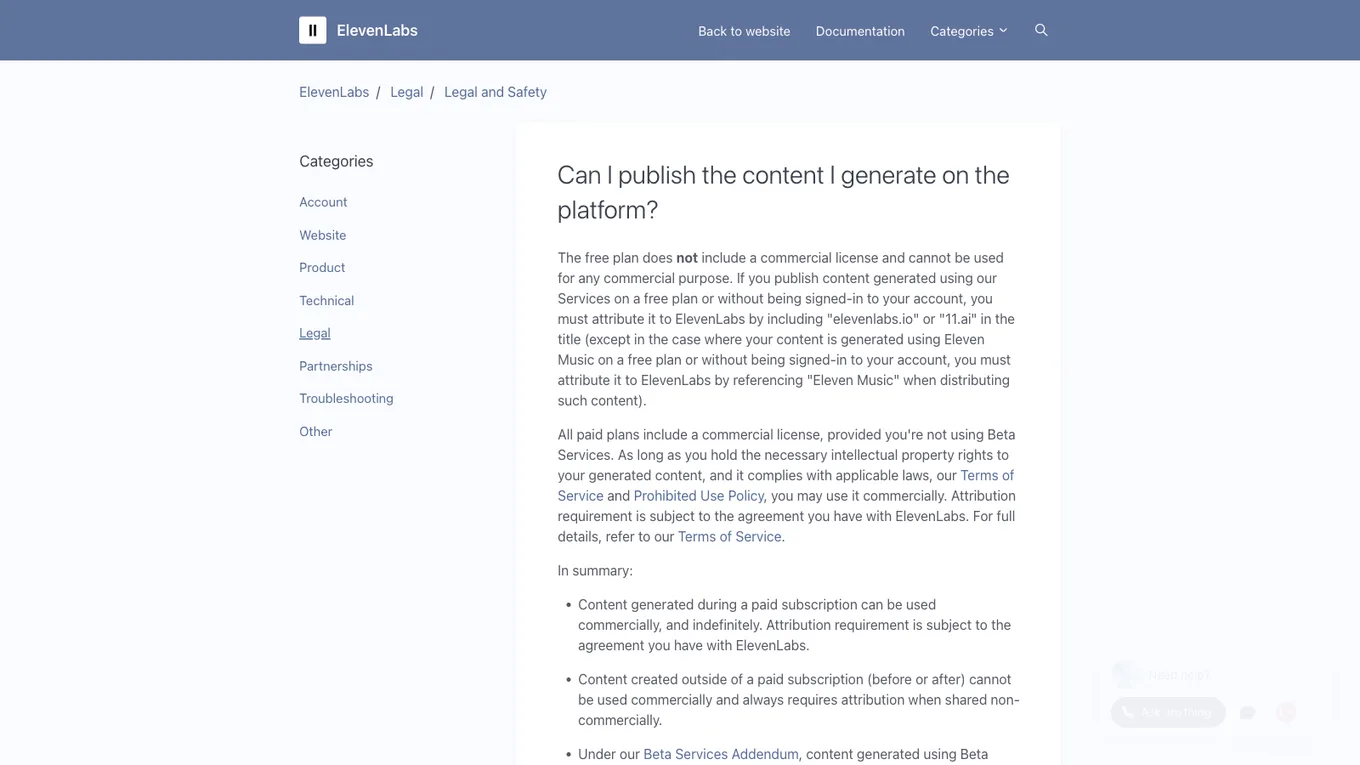
Source: ElevenLabs Help Center, accessed July 2026.
An organic short video may tolerate a conversational delivery. An ad needs stronger clarity, precise claims, and a legal review of the message. Voice generation does not validate the truth of the script.
Lesson checklist
- The script fits the scene timing
- I generated manageable sections with one consistent voice setup
- I reviewed the complete audio mix
- I verified current commercial and voice usage rights
The final lesson covers credit management and recurring mistakes.