Clone your own authorized voice
Understand instant and professional voice cloning, prepare clean source audio, complete the required verification or consent process, and test the clone with material similar to the final project.
Voice cloning can keep a creator's voice consistent without recording every final sentence, but it also creates serious consent and impersonation risks.
Instant and professional cloning
ElevenLabs presents instant and professional cloning options with different source requirements, processing, and eligibility. Check the current product descriptions because requirements can change.
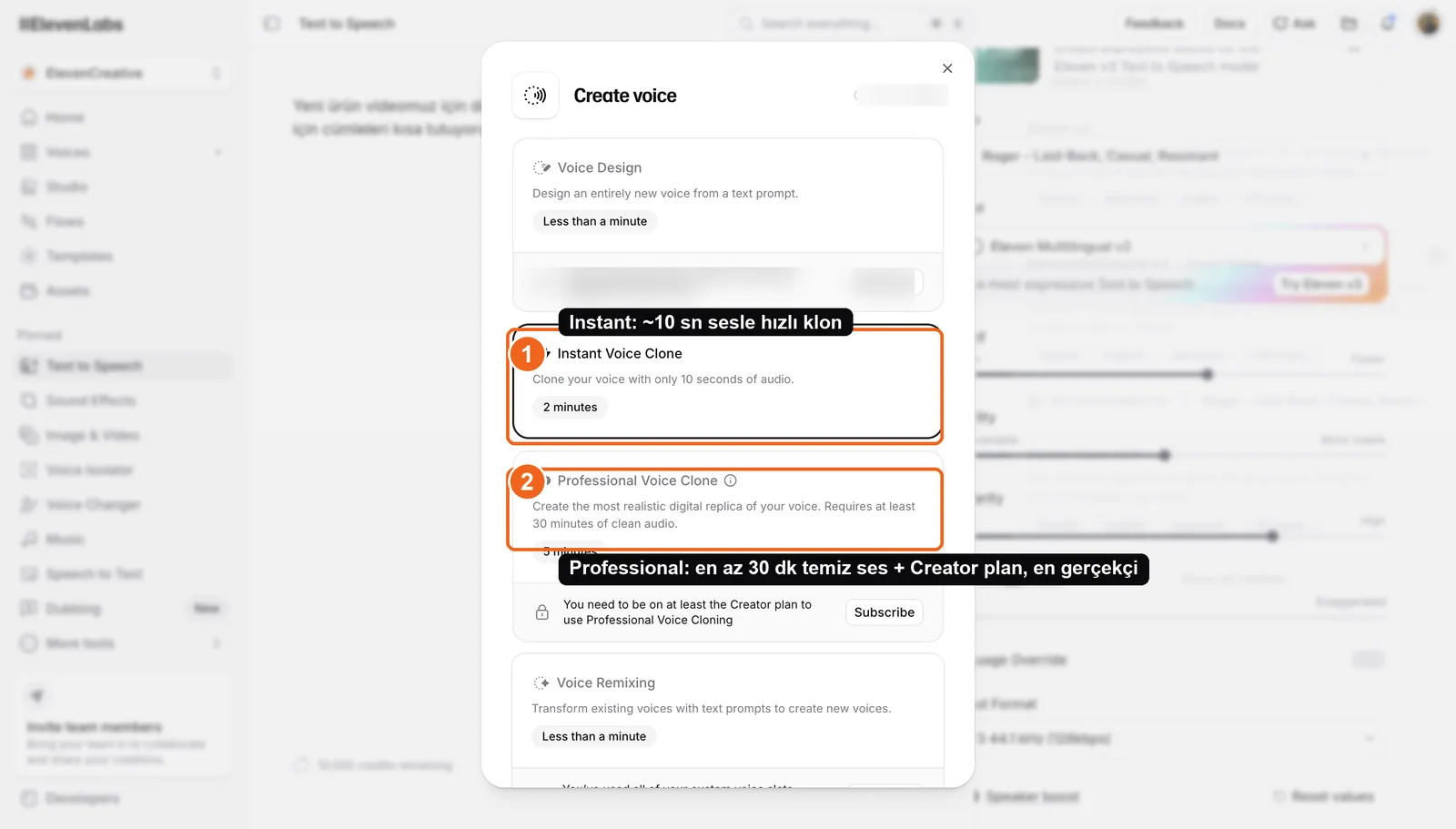
Source: ElevenLabs voice creation interface, accessed July 2026.
Prepare clean source audio
Use a quiet room, one speaker, a consistent microphone distance, and no music or effects. Include natural variation in pace and intonation without acting beyond the style you want the clone to reproduce.
Follow the current minimum and recommended recording lengths shown by ElevenLabs. More audio is not automatically better if it contains noise, several rooms, or inconsistent performance.
Consent is mandatory
Clone only your own voice or a voice whose owner has given explicit permission for the exact use. Complete any verification or consent steps required by the service.
Do not create misleading impersonations, bypass safeguards, or use the clone outside the agreed scope. Protect the account and cloned voice as sensitive assets.
Test before production
Generate a short script that resembles the final content. Check names, numbers, emotion, and pacing. If the clone is not reliable enough, use a licensed library voice or a human recording.
Lesson checklist
- I understand the current clone types and requirements
- My source audio is clean and consistent
- I have explicit authorization for the intended use
- I tested the clone on representative material
Next, you will fit generated audio to a short video workflow.