Make AI voiceover sound more natural
Use an appropriate multilingual model, adjust voice settings cautiously, write for speech, control rhythm with punctuation and line breaks, and isolate pronunciation problems before regenerating.
Choose the model for the job
Models differ in language support, latency, expressiveness, and consistency. Use the current model documentation and the labels in the product instead of assuming one model is always best.
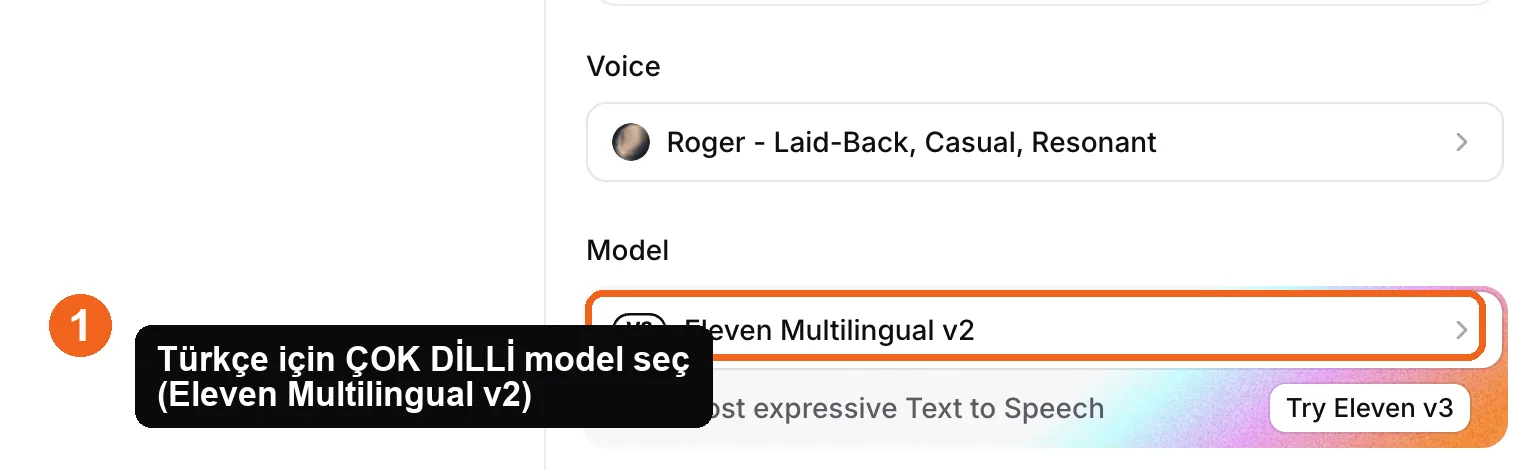
Source: ElevenLabs Text to Speech interface, accessed July 2026.
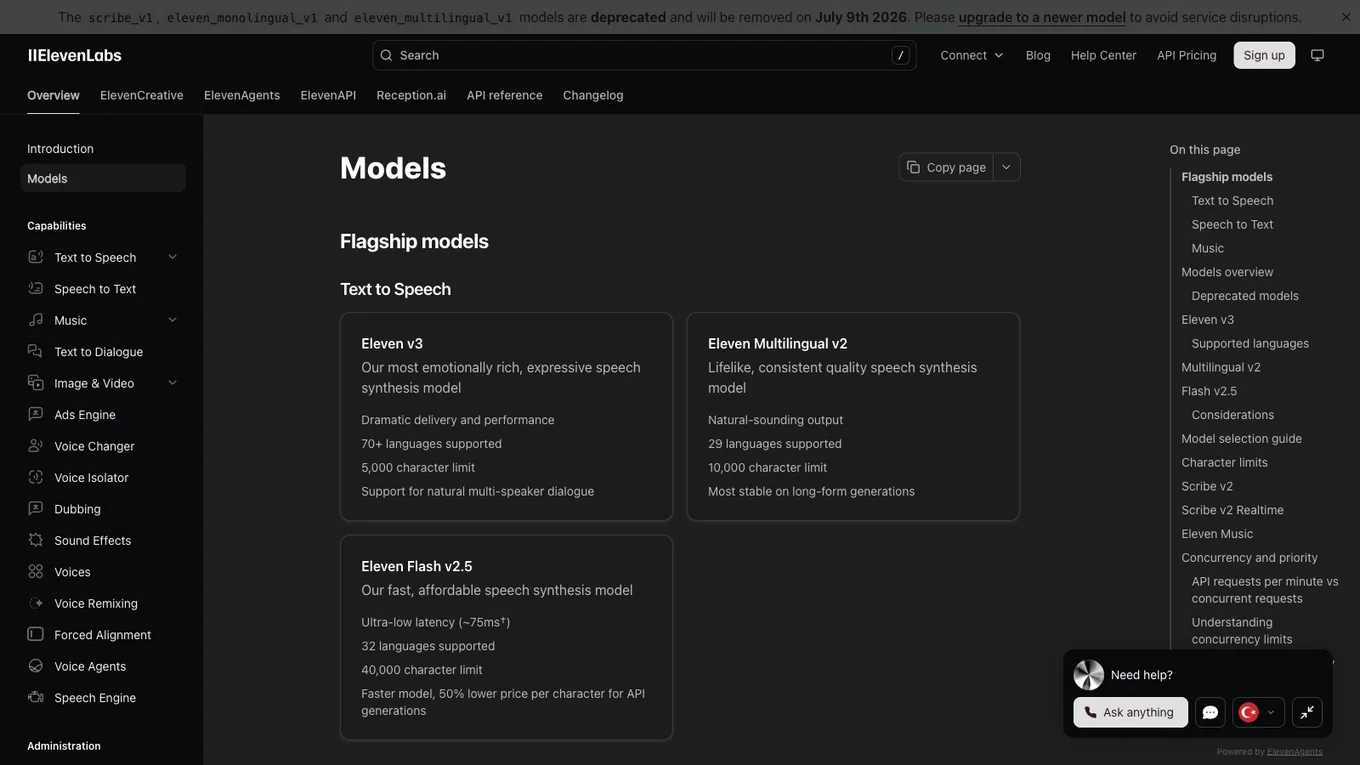
Source: ElevenLabs model documentation, accessed July 2026.
Understand the settings
The exact controls depend on the selected model. Where available:
- Stability affects how consistent or variable delivery may be.
- Similarity affects how closely the result follows the selected voice identity.
- Style can increase stylistic expression, sometimes at the cost of predictability or credits.
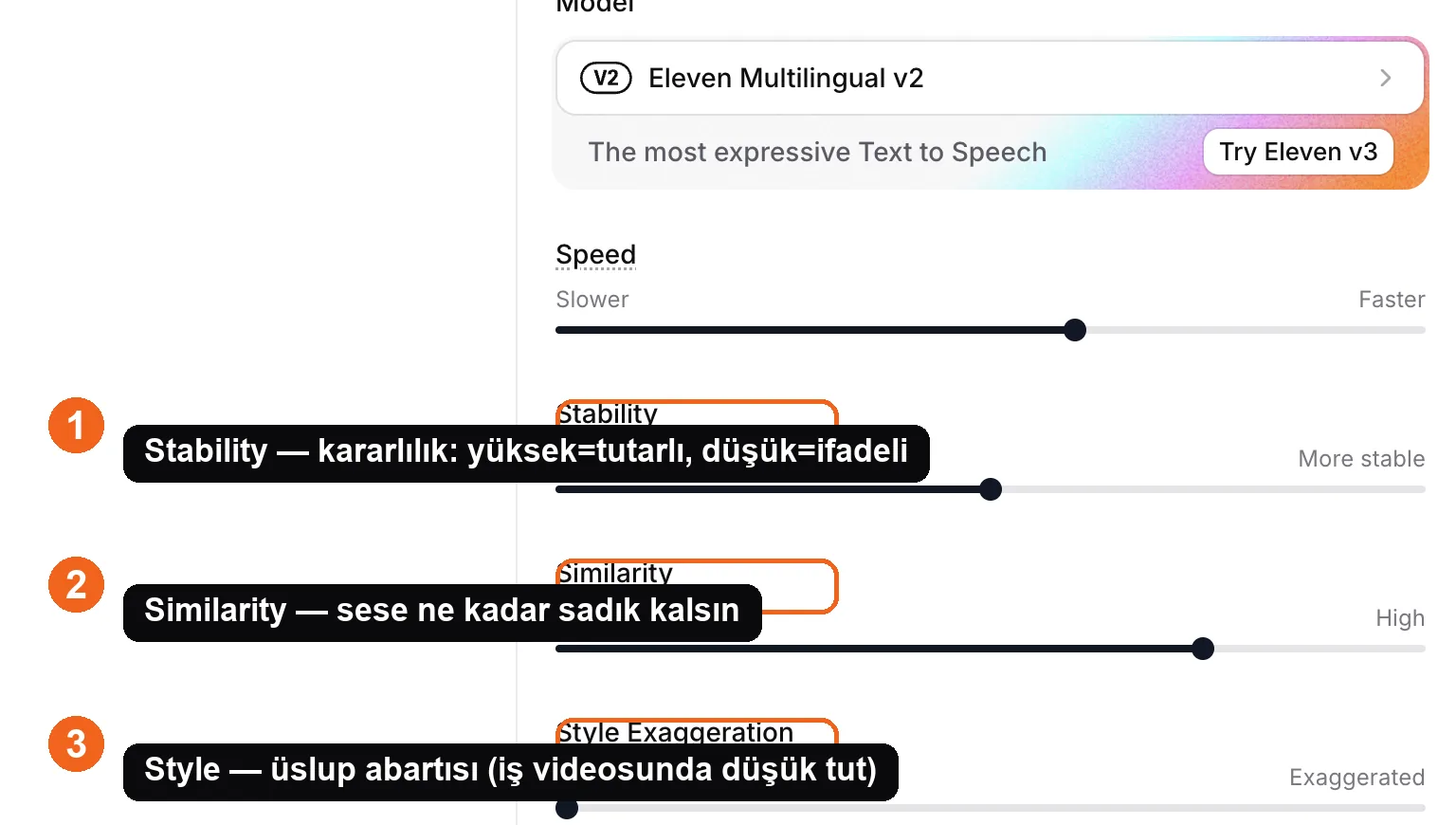
Source: ElevenLabs Text to Speech interface, accessed July 2026.
Change one control at a time and compare the same short passage. Do not copy a universal slider recipe without testing it on the actual voice and model.
Write for listening
Shorten long sentences. Use commas, periods, paragraph breaks, and separate generations to create real pauses. Spell out ambiguous abbreviations or rewrite a difficult number.
For a recurring brand or product name, test phonetic spelling, a pronunciation dictionary if supported, or a clean script substitution. Always listen to the final audio because a technically correct spelling can still sound wrong.
Lesson checklist
- I chose a model that supports the language and production need
- I change only one setting at a time
- The script is written for speech rather than reading
- I isolated and corrected pronunciation problems
Next, you will clone only a voice you are authorized to use.