Create your account and first voiceover
Create an ElevenLabs account, inspect the current plan allowance, open Text to Speech, preview suitable voices, generate a short sample, and download the approved result.
Create the account
Register with email or a supported connected account.
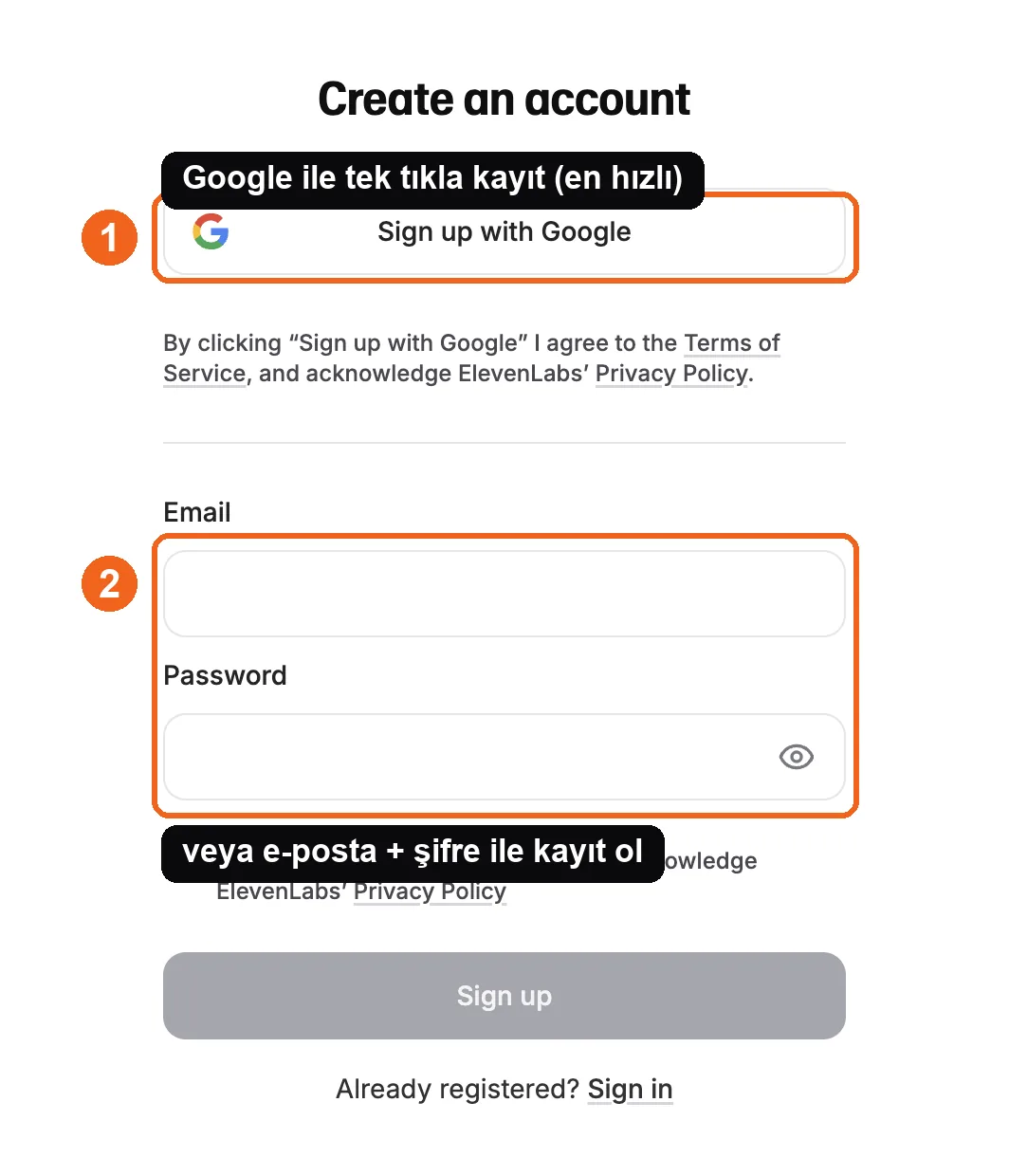
Source: ElevenLabs signup interface, accessed July 2026.
Check current plan terms
ElevenLabs may offer a free tier or trial allowance, but credits, rights, and feature limits can change. Check the current pricing page and your account before producing client or commercial work.
Generate a short test
Open Text to Speech, paste two or three representative sentences, select a voice and a model that supports the language, then generate.
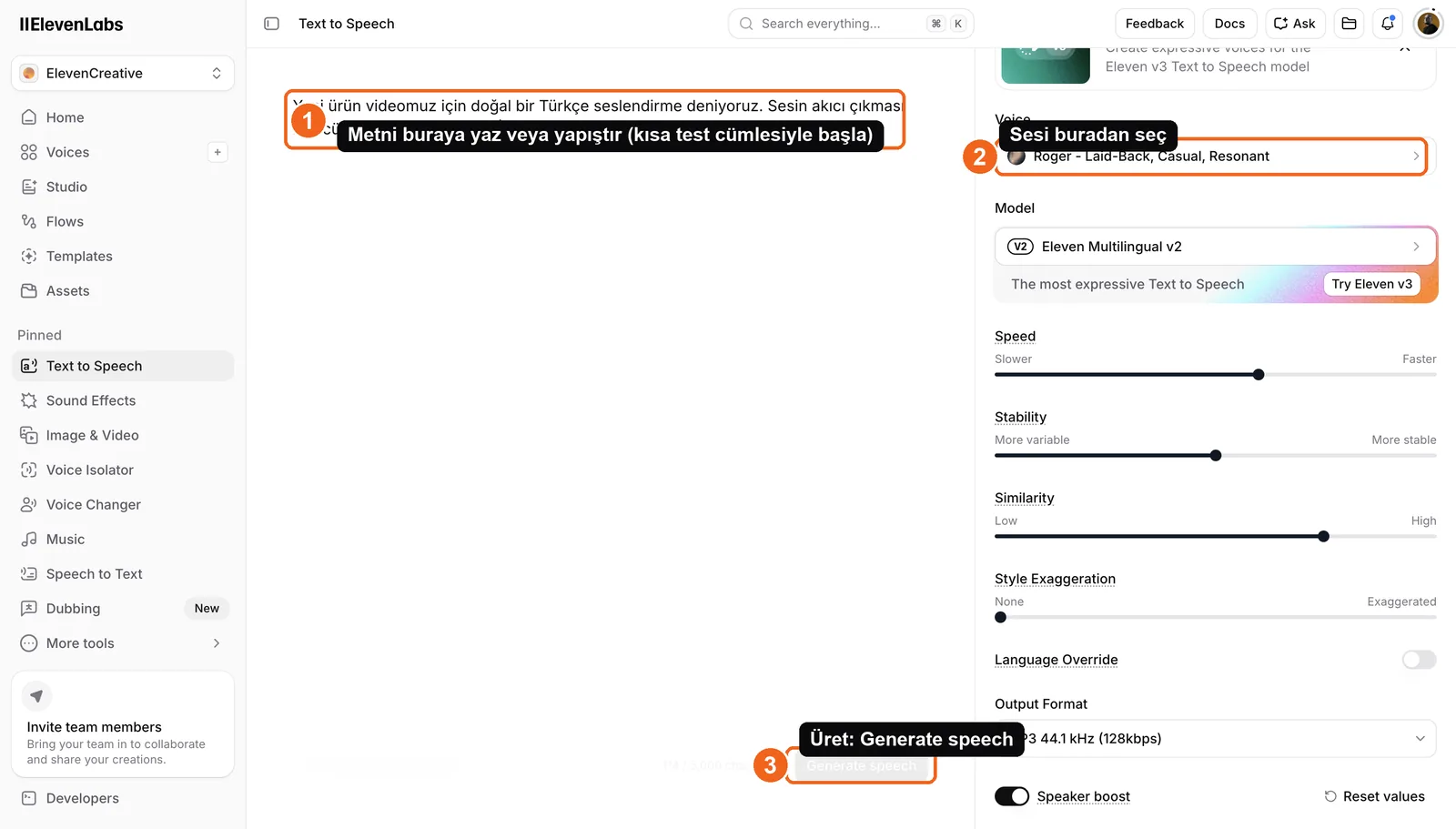
Source: ElevenLabs Text to Speech interface, accessed July 2026.
Use the voice library preview before spending credits on long scripts.
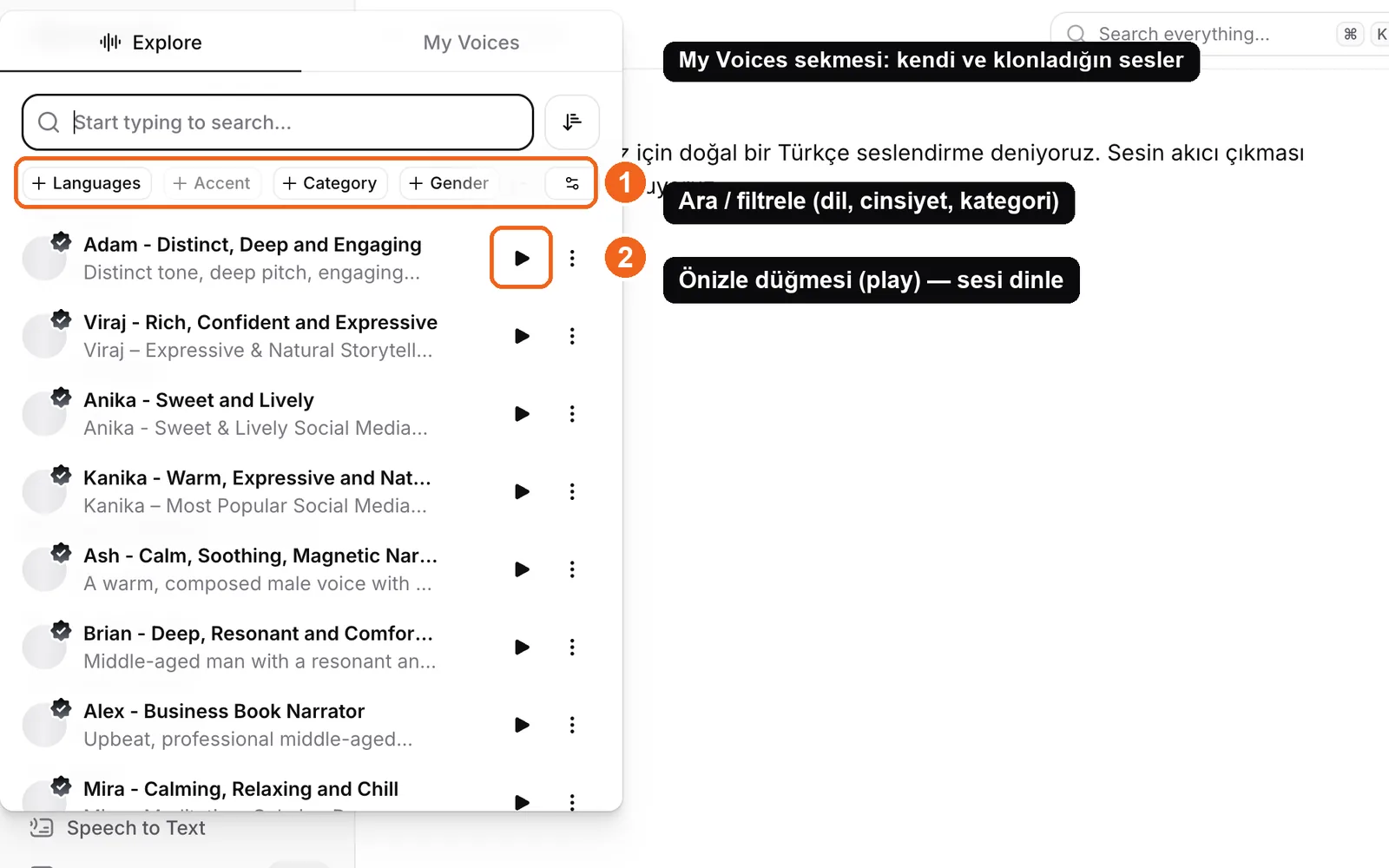
Source: ElevenLabs voice library, accessed July 2026.
Listen with headphones and check pronunciation, pacing, energy, and whether the voice suits the brand. Download only after the sample passes.
Lesson checklist
- I created the account and checked current plan terms
- The selected model supports the language I need
- I generated a short representative sample first
- I reviewed the output before downloading it
Next, you will improve pacing and pronunciation.