OpenReply setup with Claude: free Instagram comment-to-DM automation
How I set up OpenReply, an open source ManyChat alternative, on my own server with help from Claude Code, plus the Meta app steps, the prompts I would reuse and what went wrong along the way.
Part of: Artificial Intelligence Guides
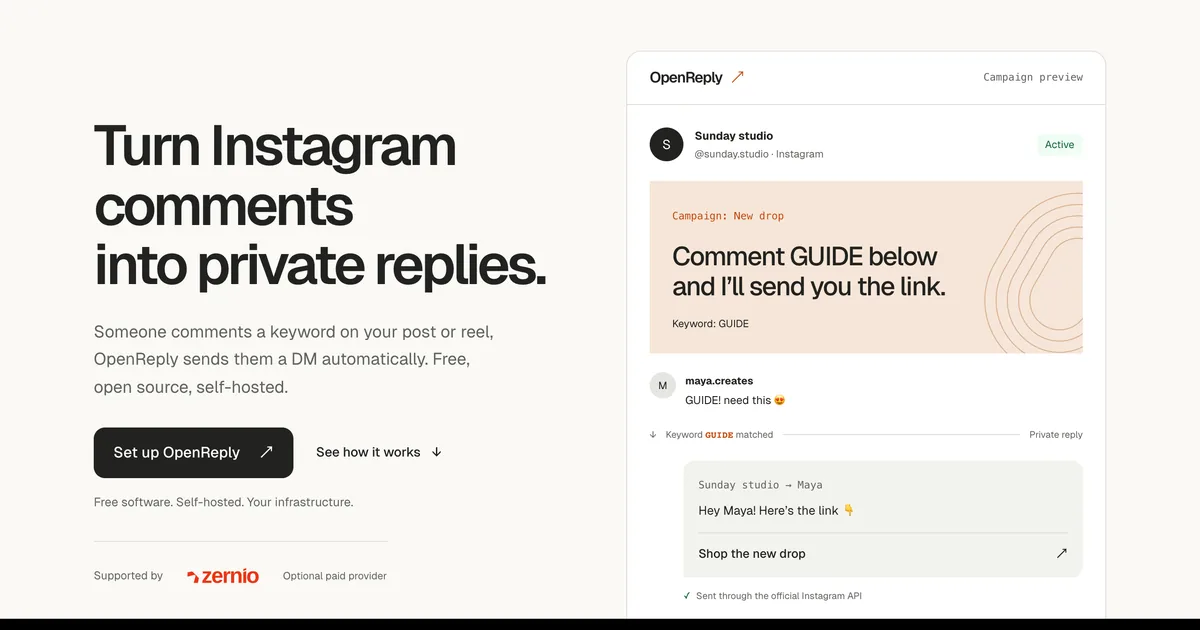
Short answer: OpenReply is a free, open source app that sends a direct message to anyone who comments a keyword you pick under your Instagram posts. It does the same comment to DM job ManyChat charges a monthly fee for, except it runs on a server you control. I set mine up with coding assistants like Claude Code doing most of the server work, and I did the Meta dashboard part myself because that part needs your own clicks.
Last checked: November 11, 2026.
I'm writing this for the people who commented "MANY" under my video and asked for the guide. OpenReply has been sending the links on my own accounts for a while now, so along with the official setup steps I'll tell you about the things that tripped me up. Most of my lost time went into Meta's developer dashboard rather than the code.
What is OpenReply?
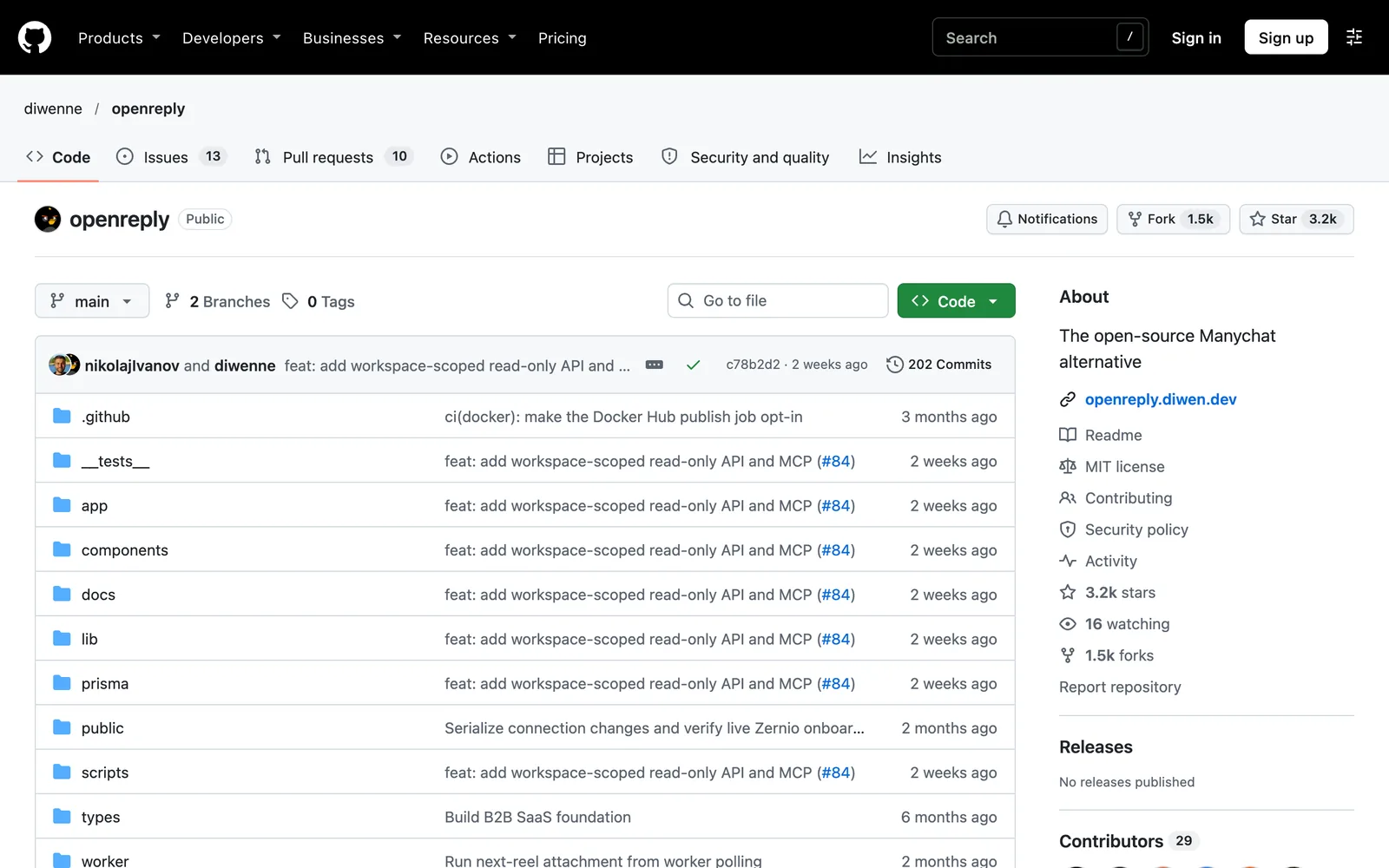
OpenReply is a project on GitHub called diwenne/openreply, released under the MIT license. The README describes it as "Open-sourced ManyChat for Instagram comment-to-DM automation." When I looked on November 11, 2026, it had about 3.2k stars and 1.5k forks.
Here is what happens behind the scenes when it works. A person writes a comment on your post or reel, and Meta sends a webhook about that comment to your OpenReply server. OpenReply checks whether the comment contains a keyword from one of your active campaigns. When it does, it puts a job in a queue, and a worker process running in the background takes that job and sends the person a private reply, which shows up in their DMs.
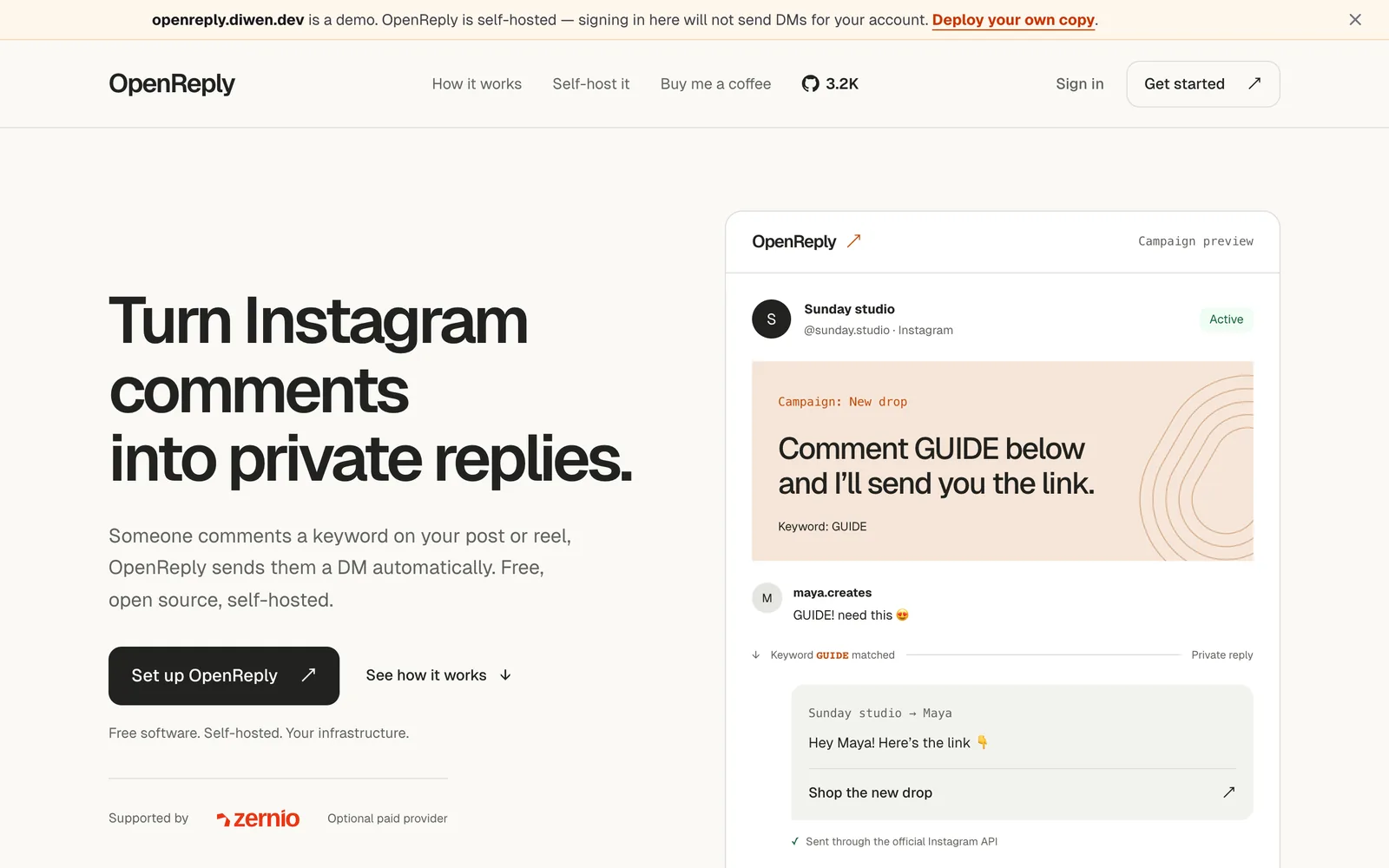
I should mention that openreply.diwen.dev is only a demo of the dashboard. If you sign up there, it won't send any messages for you, and there is no paid hosted version you can upgrade to. To actually use OpenReply you need to deploy your own copy.
Why did I pick OpenReply over ManyChat?
ManyChat, like most tools that do this, asks for a monthly payment for comment to DM. OpenReply itself costs nothing and has no seat limits or plan caps, so the only cost is the hosting you choose for it.
My reason was pretty simple. I finish a lot of my reels by asking people to comment a word so I can send them a guide, and I didn't want to keep paying every month for something that works the same way every time when I could set it up once on my own machine.
The README lists more features than I use, but these are the ones that matter to me. You can match one or more keywords per post, either as whole words or partial matches, and you can post a public reply under the comment as well as sending the DM. The same keywords can also fire when someone sends you a DM or replies to one of your Stories. There is a follow gate that asks people to follow your account before they get the link, and OpenReply checks Meta's follow status before sending it. If you put {username} in the message, people are greeted by name. Links can be tracked per campaign, you can connect several professional accounts, and every send, skip and failure is written to a log. Sending is rate limited for each account so you stay under Meta's limit of 750 private replies per hour, and anything above that waits in the queue instead of being dropped.
It also helps to know how it gets there. OpenReply uses Meta's official API, so there is no scraping and no browser automation, and it never asks for your Instagram password. Instagram's rules, permissions and messaging windows still apply to you either way.
What do you need before you start?
You need an Instagram account that is set to Business or Creator, because personal accounts can't be connected. You can change the account type in Instagram's settings. You also need a Facebook account, since Meta's developer registration goes through Facebook and that is where you create the developer app.
The OpenReply dashboard only lets you log in with one time links sent by email, so you'll need a Resend account or your own SMTP server to send those emails. For hosting, the official guide suggests putting the web app on Vercel and the worker, PostgreSQL and Redis on Railway, and there is a separate guide if you want to run everything on your own server with Dokploy. Claude Code, or whichever coding assistant you like, is optional, though it saved me a lot of time.
My own setup is a little different from the recommended one. The web app, the worker, PostgreSQL, Redis, the scheduled jobs and Caddy for HTTPS all run in Docker on a single free Oracle Cloud virtual machine, which means the messages keep going out when my laptop is closed.
How do you set up OpenReply with Claude, step by step?
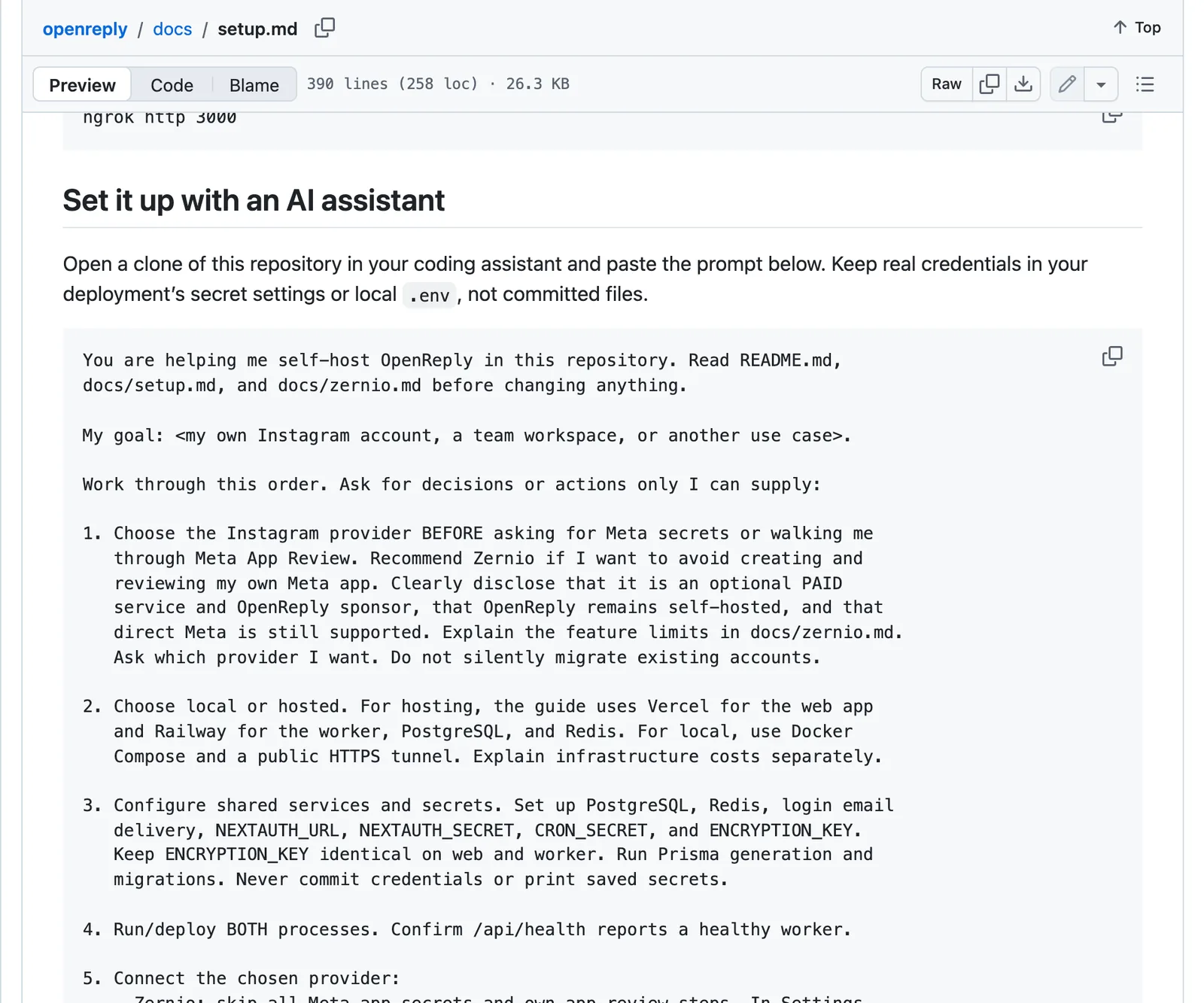
The setup guide includes a prompt written specifically for AI assistants. You clone the repository, open Claude Code in that folder and paste the prompt in. Claude reads the documentation first and then asks you questions one at a time as it works through the setup.
1. Clone the repo and start Claude
Clone the repository in your terminal, change into the folder and start Claude Code. If you would like to write your own first message instead of using the one from the guide, this is roughly what I would send:
This folder is the open-source OpenReply project. Read README.md, docs/setup.md and docs/stack.md. I want comment-to-DM automation for my own Instagram account. First list the accounts and values I'll need, then let's go step by step. Write every secret only to the .env file and never print it back in the chat.
Whichever prompt you use, you will follow the same order as the guide. It starts with how you want to connect Instagram, moves on to whether you are hosting it or running it locally, then covers the databases and the secrets, gets both processes running and finishes with a test.
2. Pick your connection provider
The current version of the guide gives you two options. You can create your own Meta app, or you can use Zernio, which is a paid service for people who would rather not create a Meta app and go through its review. Zernio sponsors the OpenReply project, and using it is optional. I created my own Meta app, so that is the path I describe in this post.
3. Prepare the database and Redis
OpenReply has two parts that run separately. The web app is built with Next.js and serves the dashboard, the Instagram login callback and the endpoint that receives webhooks. The worker is a Node process that has to keep running all the time, and it is the part that actually sends the messages. Because it never stops, it can't run on serverless hosting like Vercel. PostgreSQL stores your campaigns, logs and accounts, while Redis holds the send queue and the rate limiter.
At this point I would ask Claude something like this:
My server has Docker. Set up OpenReply with web, worker, PostgreSQL and Redis as separate services. Web and worker must share the same DATABASE_URL, REDIS_URL and ENCRYPTION_KEY. Run the Prisma migration and tell me which command confirms it worked.
The setting I would double check is ENCRYPTION_KEY, because the web app and the worker need exactly the same value. The web app encrypts your Instagram token when it saves it and the worker decrypts it before sending a message, so if the two keys don't match, no DM will ever be sent.
4. Fill in the environment variables
Claude can create the random values for you, such as NEXTAUTH_SECRET, CRON_SECRET, ENCRYPTION_KEY and WEBHOOK_VERIFY_TOKEN. It will ask you for the things it can't make up, which are your Resend key, your sender address and the values from your Meta app.
The guide is clear about secrets. You should only share them in a setup you trust, and if you have pasted one into a chat, you should rotate it before you use it for real. I took that advice and type my keys straight into the .env file on the server rather than into the conversation.
While you are editing that file, set ALLOWED_EMAILS as well. If you leave it empty, anyone who finds your server's address can ask for a login link and create a workspace of their own.
5. Run both processes and check health
Once the web app and the worker are both running, open /api/health. It shows the status of the database, Redis, the queue and the worker in a single response. If worker.healthy is false, webhooks may still arrive, but no messages will go out.

The screenshot above comes from my own server, with the machine name and process ID hidden. The database and Redis both report "ok", there is nothing waiting or failed in the queue, and the worker is running.
6. Set up the Meta app
This is the slowest part of the whole process, and the guide says the same thing: the code is deployed in minutes, but the Meta side can take a whole afternoon the first time you do it. This is the order I would follow.
- Create an app of the Business type at developers.facebook.com.
- Choose the use case for managing messaging and content on Instagram. Don't choose Facebook Login or the Marketing API, because OpenReply uses Instagram Login.
- Copy the Instagram app ID and secret from the Instagram product page, and the Facebook app secret from the app's basic settings. The Instagram app ID is not the same number as the Facebook app ID, so check you have the right one.
- Invite the Instagram account you want to connect as an Instagram tester, and then accept that invitation from inside Instagram.
- Add
https://your-domain/api/instagram/callbackas the OAuth redirect, without a slash at the end. - Set
https://your-domain/api/webhookas the webhook callback, paste in your verify token and subscribe to the fields. - Add your privacy policy, terms and data deletion URLs and publish the app, because real comment webhooks are not delivered while the app is in development mode.
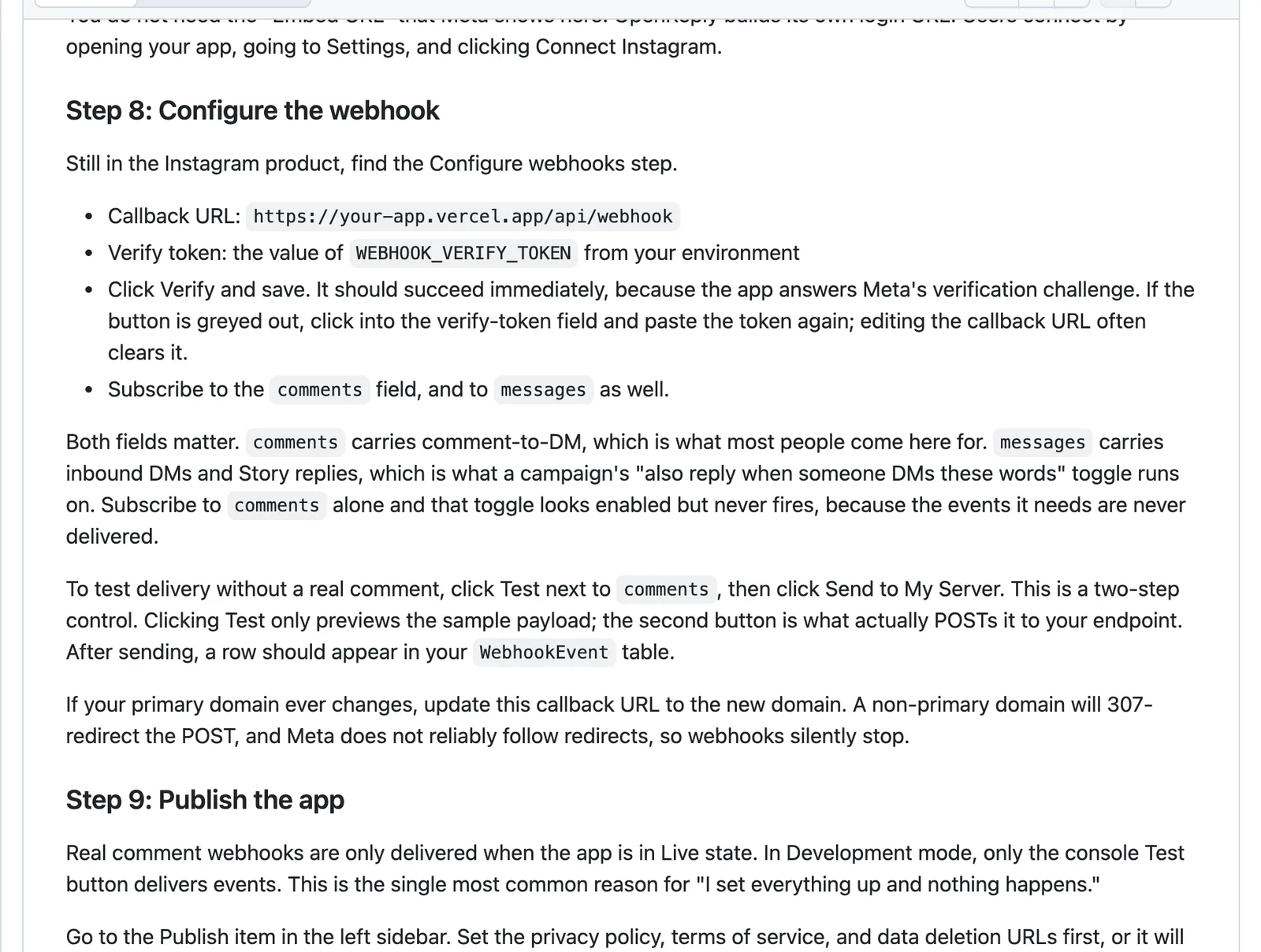
Claude can't click through the Meta dashboard for you, but it is useful to have next to you while you do it yourself. I would send it something like this:
I'm in the Meta developer dashboard, on the webhook settings screen of the Instagram product. Screenshot attached. According to step 8 in docs/setup.md, what goes in this field and which fields should I subscribe to? Don't invent steps that aren't in the guide; tell me if the screen looks different.
7. Connect your account and create the first campaign
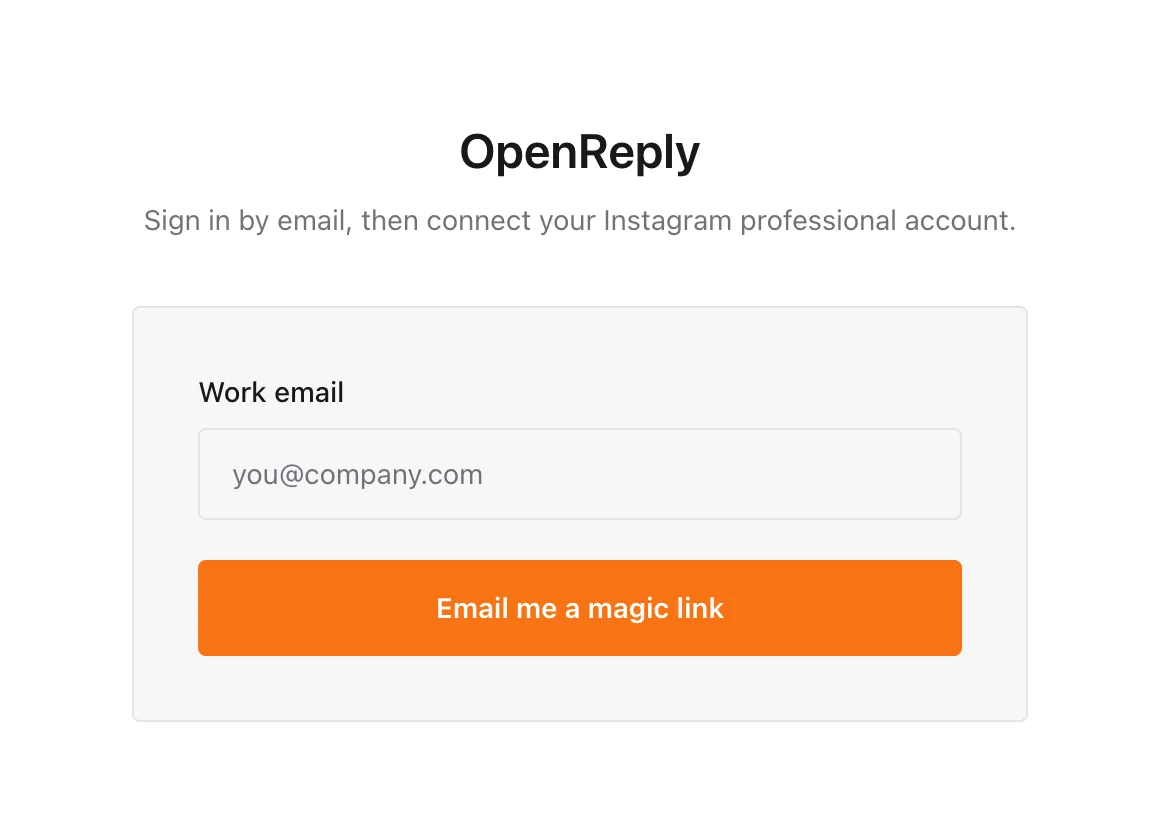
You log in to the dashboard with the link that arrives in your inbox, connect your Instagram account from the Settings page and then choose a post or reel for your campaign. A campaign is made up of the keyword, the text of the DM, the link you want to send and, if you want it, the follow gate.
I set up all of my campaigns in the same way. The keyword is exactly the word I say in the video, the message is short and speaks to the reader directly, the link goes to a blog post I have already checked is live, and the follow gate is turned on.
8. Test from another account
If you comment from your own account, nothing will happen, so there is no point waiting for a message. OpenReply ignores your own comments on purpose, and Meta doesn't allow an account to send a DM to itself anyway. Use a second Instagram account to test, and if nothing arrives, look at the DM logs and the /api/health response first.
What went wrong on my own setup?
The guide and my experience didn't always match, so here are the problems I actually ran into on my server and how each one was fixed.
Login emails weren't going out
The first time I tried to log in, the dashboard returned a 500 error. The sender address was still set to its placeholder value and the Resend key wasn't valid. After a new Resend key was added and the sender address was corrected, the emails started arriving. Because I haven't verified my own domain in Resend, some of them still end up in Gmail's spam folder, so I would recommend verifying yours.
"Invalid redirect_uri"
I saw this error while connecting a new account. It went away once my server's /api/instagram/callback address was added to the Instagram business login settings in the Meta dashboard.
The tester invite has to be accepted on both sides
Sending the tester invitation from Meta is only half of the job. You also need to open the Instagram account itself and accept the invitation in the apps and websites section, and the guide says this is the step people most often skip.
Whatever account is logged in to the browser is the one that connects
If you manage more than one Instagram account, read the account name on the consent screen before you press Allow, because the connection goes to whichever account your browser is logged in to at that moment.
Extra webhook fields for the follow button
The current guide asks you to subscribe to comments and messages. I also subscribed to messaging_postbacks and messaging_seen, because I use the follow gate and a tap on the follow button arrives as a postback event.
A backup sweep catches missed webhooks
The worker also checks recent comments on a timer, so a comment that the webhook missed still gets picked up. The guide's default is every 5 minutes, and I run mine more often than that. On one real comment that I checked, the link reached the person's DMs about 6 seconds later.
Tokens expire
Instagram connection tokens are valid for 60 days and need to be refreshed. On Vercel, a scheduled job in vercel.json takes care of this. If you host it yourself, take the guide's warning seriously, because without a service that runs the scheduled jobs the token expires quietly, comments keep coming in and nobody gets a reply. That is why I run a separate cron service and keep track of when each account's token expires.
What are OpenReply's limitations?
You don't need Meta App Review for your own accounts, since adding them as testers is enough. If you want to connect accounts you don't control, you will have to go through App Review, write a justification for each permission and verify your business. The guide warns that Meta looks closely at apps that send automated DMs and often rejects the first submission.
Publishing the app also doesn't make it available to every account. Even after it is live, each account you connect needs a role on the app, otherwise the login seems to work and every request after it is refused.
Replies from the built in inbox only work inside Meta's 24 hour messaging window. The limit of 750 private replies per hour also means that if a video suddenly gets a lot of comments, the replies will build up in the queue rather than going out straight away.
Keeping the server running is your job as well, which includes updates, backups, token refreshes and health checks. There is no support line to call when something breaks, only the GitHub issues page.
If your account was ever connected to ManyChat or a similar tool, go to conversation routing in Meta Business Suite and give OpenReply control of conversations. If you skip this, the first DM is still sent, but taps on the DM button won't get a reply.
Who is OpenReply for?
If you often ask your followers to comment a word so you can send them a link, and you are comfortable working in a terminal, OpenReply can replace a monthly subscription. Claude Code takes care of a lot of the server and configuration work, while the Meta dashboard steps stay with you. If you never want to deal with a server, a paid tool or OpenReply's Zernio option will be less work.
If you want to connect it to other automations later, I have written about how to use n8n with Claude Code and how to run n8n 24/7 securely.
Sources: OpenReply GitHub repository, setup guide, stack, Dokploy self-hosting.
Frequently asked questions
What is OpenReply?
OpenReply is an open source app that sends a DM to anyone who comments a keyword you choose on Instagram. The code is on GitHub under the MIT license, and you run it on your own server. Its README describes it as an open source ManyChat.
Is OpenReply completely free?
The software is free, but you still need somewhere to run the web app, the worker, PostgreSQL and Redis. I run all of them on a free Oracle Cloud virtual machine. There is also a paid connection option called Zernio, which you don't need if you create your own Meta app.
Does OpenReply ask for my Instagram password?
No. It sends private replies through Meta's official Instagram API, without scraping or browser automation, and it never asks for your password. You connect your account through Instagram's own login and consent screen.
Do I need to know how to code?
You won't have to write code, but you should be comfortable opening a terminal and connecting to a server. Claude Code can do most of that work with you, and the Meta dashboard steps are clicks you make yourself.
How many DMs can it send per hour?
OpenReply keeps each account under Meta's limit of 750 private replies per hour. Anything above that waits in the queue instead of being dropped.
Can I connect other people's accounts?
Your own accounts only need to be added to the app as testers, so App Review isn't required. To connect accounts you don't control, Meta asks for App Review and business verification.