What Is NotebookLM and How Do You Use It? (For Research and Briefs)
NotebookLM is a research tool that only works from the sources you give it. Upload sources, ask questions, get a summary or a podcast. Here's how I actually use it in my own research and brief workflow.


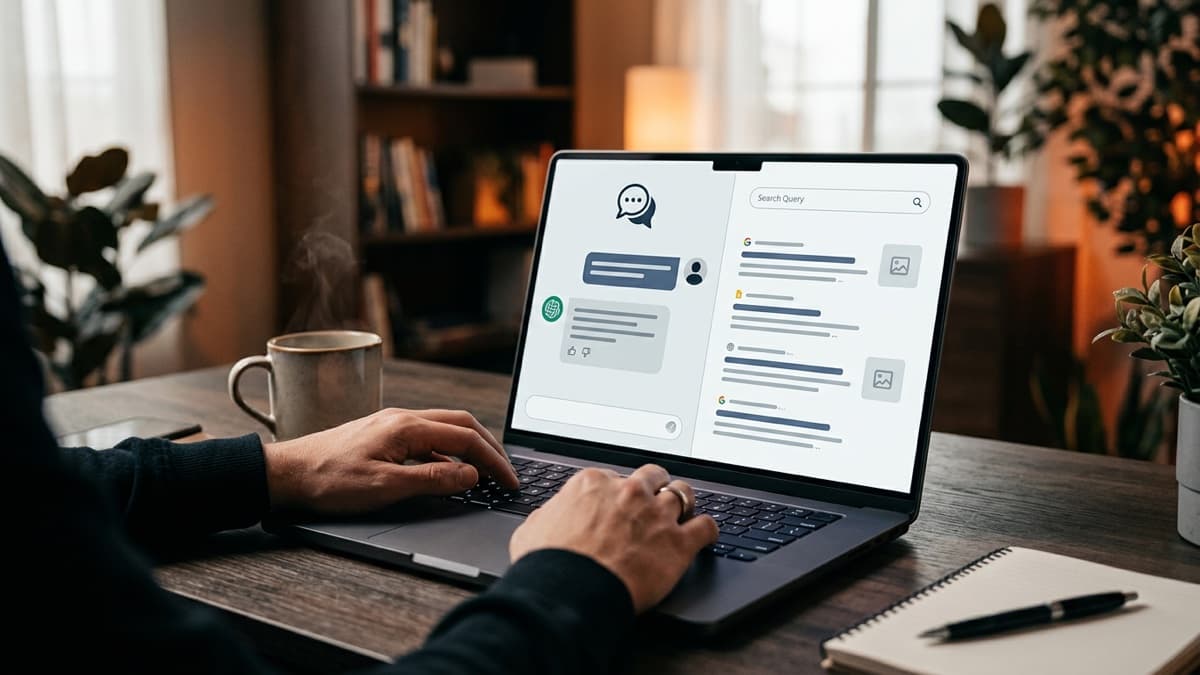
Quick answer: NotebookLM is a research tool from Google. You feed it your own sources (PDFs, articles, YouTube links, audio recordings, plain text), and it answers strictly from those sources, whether that's a summary, a direct answer to a question, or an audio podcast walkthrough. That's the key difference from a normal chatbot: it doesn't make things up from the open internet, it only speaks from what you actually gave it. That makes it a reliable way to dig into a topic or turn a pile of scattered sources into one clean brief. Below is how to set it up, what it's actually good for, and how I use it in my own research and brief workflow.
The hard part was never finding information, it's gathering the scattered kind
When you're researching something, the real difficulty usually isn't finding information. It's opening ten tabs, reading five articles, watching two videos, and ending up with a messy pile of half-remembered points in your head that takes hours to turn into one coherent summary. Ask a normal chatbot "tell me about this" and it answers from its own general training, not from the specific things you just read.
NotebookLM fills exactly that gap. You give it the sources you've collected, and it answers only by looking at those. So instead of "general knowledge from the internet," you're getting "what's actually in the ten sources you read." That's both more trustworthy and more faithful to the research you actually did.
The surface feature, and what's really different underneath
On the surface: "upload sources, ask a question, get an answer."
What's actually different: the AI is no longer speaking from its general training, it's speaking from the specific sources you picked and trust.
That distinction matters a lot for business decisions. Say you're doing a competitor analysis. You want a summary built from the ten competitor sites you personally gathered data on, not from whatever the open internet happens to know about your industry. NotebookLM's source-bound design is built for exactly that need.
How this used to work, and how it works now
Turning a pile of scattered sources into a brief used to go like this: read each source one at a time, take notes by hand on the important points, then sit down and stitch those notes into a summary yourself. Five sources took an hour, ten took half a day, and whichever source you read last usually ended up dominating the summary, because that's just how memory works.
Now you upload the sources to NotebookLM, and it scans all of them at once and gives you something like "here's what these ten sources agree on, here's where they conflict." A job that used to eat half a day now takes about twenty minutes. You still decide which sources go in, you're just handing off the merging and summarizing part.
How to use NotebookLM: 4 steps
-
Create a notebook. Open a separate notebook for each topic or project, don't mix them. Keep a competitor analysis and a product research project in separate notebooks, otherwise the sources start bleeding into each other.
-
Upload your sources. You can add PDFs, Google Docs, web page links, YouTube video links, even audio recordings. The more varied and relevant the sources, the richer the answers.
-
Ask questions or request a summary. You can ask something like "what are the three points these sources all agree on," or just say "summarize these sources." Answers come with citations back to the source they pulled from, so you can go check the original.
-
Convert it to audio if you want. One of NotebookLM's well known features is generating an automatic audio conversation or podcast from your uploaded sources. Useful if you'd rather listen to a long report on a walk than sit and read it.
What it's good for, and what it isn't
What it's good for: pulling one coherent summary out of scattered sources, comparing different viewpoints on a topic, skimming a long document (a contract, a report, course notes) quickly, and turning training material into an audio format.
What it isn't good for: asking a general question about something current that you haven't uploaded a source for (a normal chatbot handles that better), creative writing (NotebookLM is built for research, not copywriting), or asking it "what do you know about this" without uploading anything (there's nothing for it to work from, so it comes up empty).
Bottom line: if you already have sources and want to pull a result out of them, NotebookLM is strong. If you don't have sources and you're asking something general, a normal chatbot answers faster.
A real example: putting together a weekly brief
Say every week you track what's happening in a particular industry and put together a brief for yourself or your team. The old way: browse ten news sites, jot down the five or six stories that actually matter, then sit down and stitch those into a summary in your head. That usually ate a whole afternoon.
Now you upload those same five or six sources (a news link, a PDF report, a relevant video) into a single NotebookLM notebook. Then you ask something like: "what are the three developments that stand out across these sources this week, and how does each one affect which industries." NotebookLM gives you a source-grounded summary with citations showing where each point came from. You read that summary and add the final layer yourself, which point actually matters to your specific audience, because that part is still your job. AI can't know that.
The method doesn't care what the topic is. Swap industry news for competitor research, product research, or a training series, the sources change, the logic stays the same.
Before you rely on it: things to check
Source quality decides output quality. NotebookLM only ever speaks from what you gave it. Weak or incomplete sources produce a weak summary. A good brief starts with picking good sources.
Think before uploading anything sensitive. Before you upload something like a business contract or customer data to a cloud based tool, check your company's data policy and the tool's own data usage terms.
The audio podcast is a summary, not a source. Listening to the auto generated audio format is convenient, but it's still an interpretation layer. If you're making a decision that actually matters, go back to the original source and check it once more.
The short version
- NotebookLM works strictly from your own sources, it doesn't make things up from the internet.
- Four steps: open a notebook, upload sources, ask questions or request a summary, convert to audio if you want.
- It's not strong without sources in hand, a normal chatbot is faster for general questions.
- I'm not going to sell this as "AI does the research for you." You still decide which sources go in, and the final judgment call is still yours.
- Check your data policy before uploading anything sensitive.
Frequently asked questions
Is NotebookLM free?
There's a free tier for basic use, with a cap on how many sources and how much usage you get. If you're using it heavily, you may need to look at Google's paid plans. Limits change over time, so it's worth checking Google's own page for current numbers rather than trusting anything you read elsewhere, including this.
How many sources can I upload?
There's an upper limit on how many sources you can add to a single notebook, and it depends on your plan. In practice, a handful to a few dozen sources covers most research or brief work. If you're getting close to the limit, splitting the topic into subtopics and opening separate notebooks gives you a cleaner result anyway.
Does NotebookLM pull information from the internet, or only from what I upload?
Its whole design is to answer only from the sources you've given it. That's the core thing that separates it from a normal chatbot: it doesn't reach out to the internet or draw on its general training, it works strictly from the documents you handed it. Which means if you ask it about something current that you haven't uploaded a source for, it comes up thin.
Is the audio podcast feature actually useful, or just a gimmick?
It's useful, especially if you'd rather listen on a walk or a drive than sit down and read a long document. But keep in mind it's an interpretation layer. For anything that actually matters, go back to the original source and check it yourself. The audio summary isn't the final word.
Can a team share the same notebook?
Yes, sharing works through Google's normal account and permissions setup, the same way you'd share a Google Doc. Working from one shared source pool keeps everyone on the team pulling from the same material instead of each person drawing different conclusions from different sources.